

Robinhood Chain meme coins are ERC-20 tokens that trade on a chain paid for in ETH, and you can find them on the Banana Gun Pro Trending and Trenches pages, check the contract on the Blockscout explorer, and buy from Telegram with Banana Gun.
You need a wallet holding ETH on Robinhood Chain, a token contract address you copied from a source you trust, and a sell plan written down before you buy.
Check the contract before you buy, because name search on this chain returns copycats.
Step 1: Find tokens that are moving
1. Open the Robinhood Chain Trending page
Go to pro.bananagun.io and open Trending. The page is public while it is in beta, though you need to log in to trade. Use the chain selector at the top left to pick Robinhood.
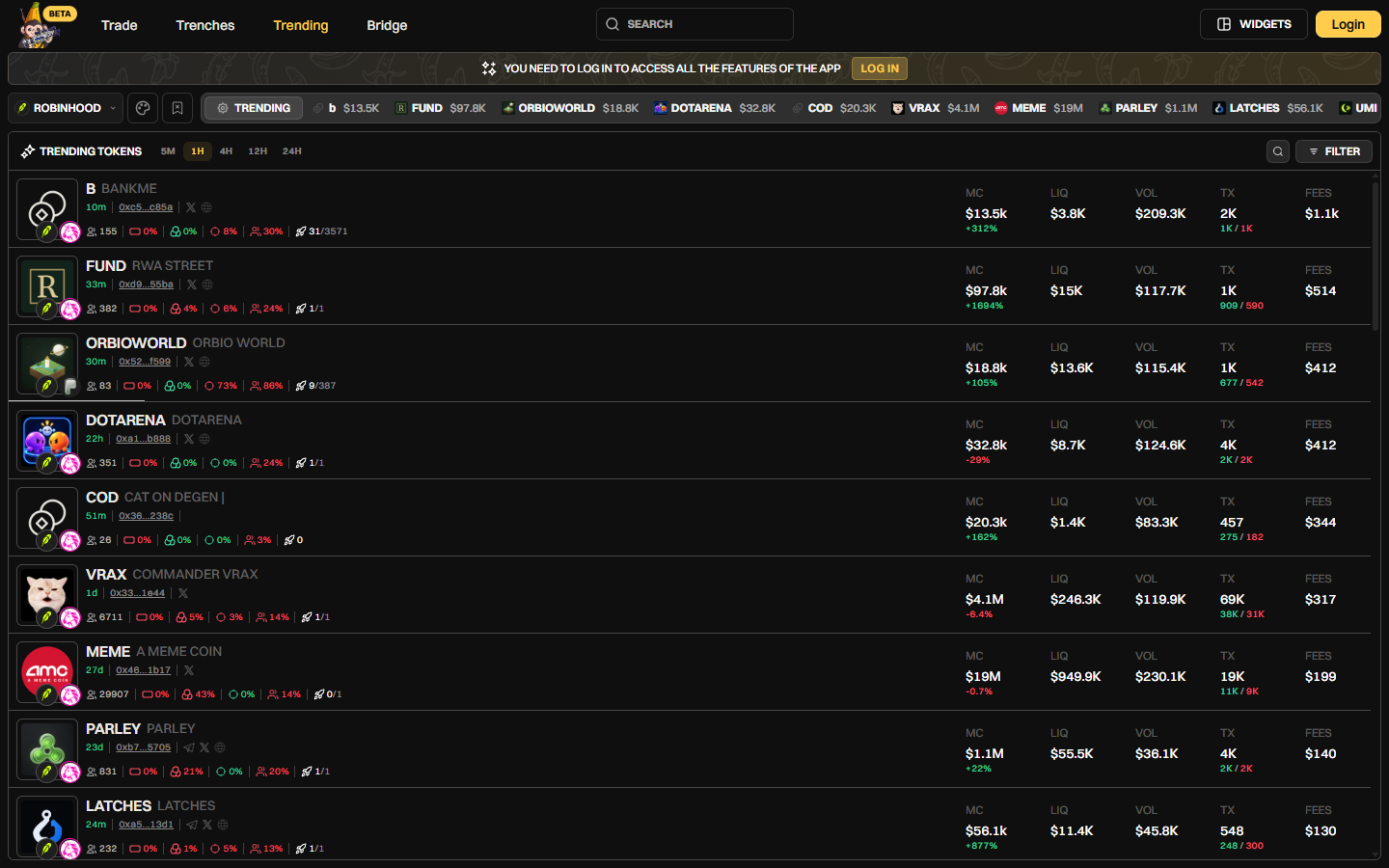
Banana Gun Pro Trending page on Robinhood Chain with the 1H timeframe selected, 1 October 2026
2. Pick a timeframe and read a row
Choose 5M, 1H, 4H, 12H or 24H. Each row shows the token name, ticker, age, a shortened contract, holders, market cap with its percent change, liquidity (LIQ), volume (VOL), buys and sells (TX) and FEES.
Example: on 1 October 2026, the 1H view listed BANKME at 10 minutes old with a $13.5K market cap and $3.8K liquidity, and VRAX at 1 day old with a $4.1M market cap and $246.3K liquidity.
3. Narrow the list with Filter
Tap Filter and set a maximum token age, a minimum market cap, a minimum liquidity and a minimum volume. Liquidity is the number to watch on small tokens, because it limits how much you can sell before the price falls.
Warning: a token with $3.8K liquidity can print a big percent gain on a few small buys, and a large sell into that pool moves the price hard against you.
Step 2: Watch new launches in Trenches
1. Open Trenches
Tap Trenches in the top navigation and select Robinhood Chain. The page lists NEW DEPLOYS, which are tokens that were just created, with market cap (MCAP), volume, buys and sells, and age. You need to log in to trade, and the sign-in window offers Telegram, Google, Twitter or a wallet.
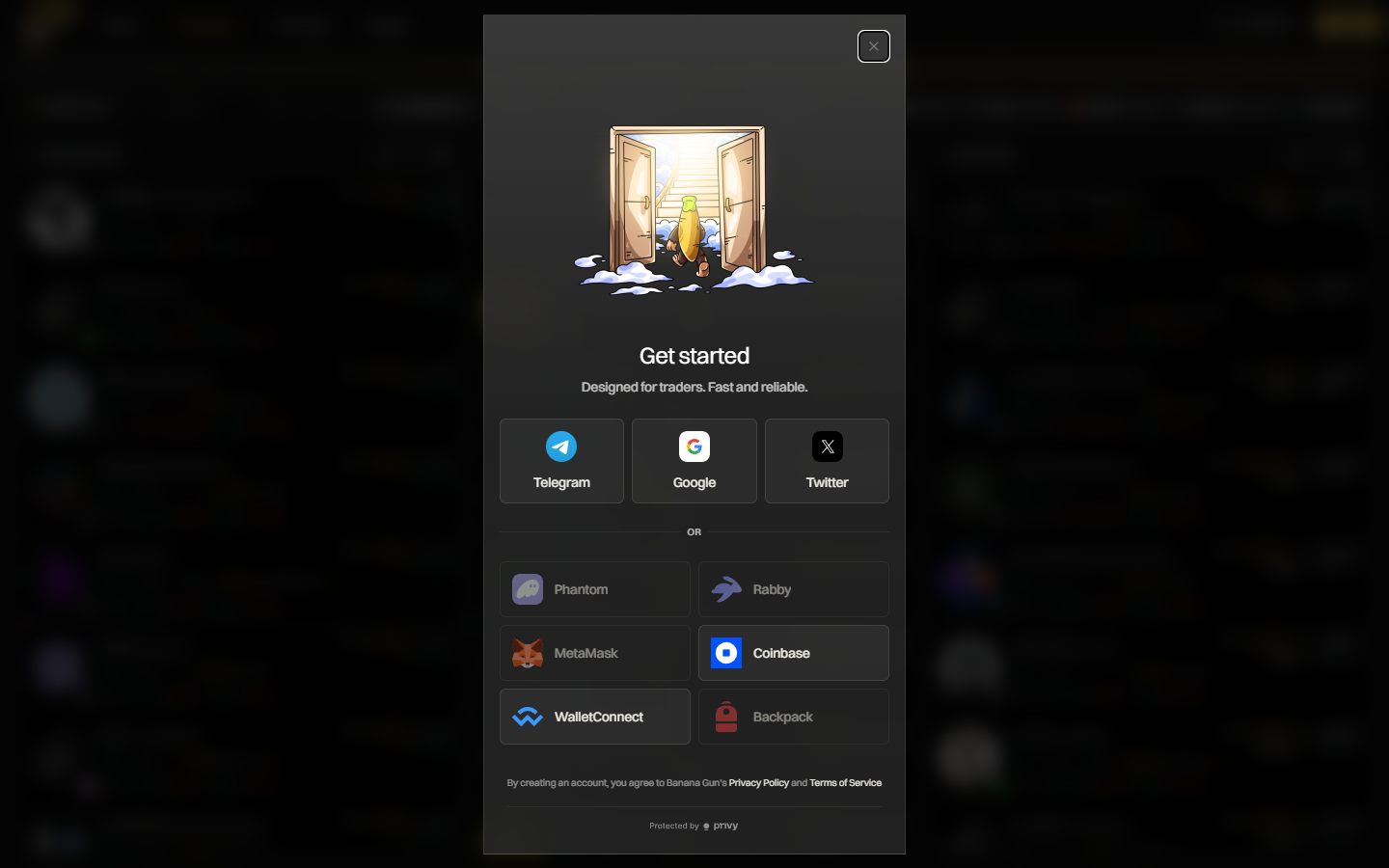
Banana Gun Pro sign-in window offering Telegram, Google, Twitter and wallet options, 1 October 2026
2. Read the two launch fields
Each new deploy carries a "First 100 buyers status" and a "Dev wallet funding" field. Open them on each token and read what the page shows. They are fields to look at, not a verdict.
3. Start from Trending if you are new
A deploy that is seconds old has almost no trading history to read. The Robinhood Chain token discovery guide covers other places to spot tokens.
Step 3: Copy the right contract address
1. Copy the full contract from a source you trust
Copy the contract from the Banana Gun Pro row or the project's official link, never from a search result or a direct message.
2. Understand why name search fails here
Example: on 1 October 2026, searching "VRAX" on the Robinhood Chain explorer returned at least five token contracts, four named "Commander Vrax (VRAX)" and one named "VRAX holder Airdrop Now". The Banana Gun Pro Trending row for COMMANDER VRAX showed a contract starting 0x33 and ending 1e44, which matched none of the addresses in the search results.
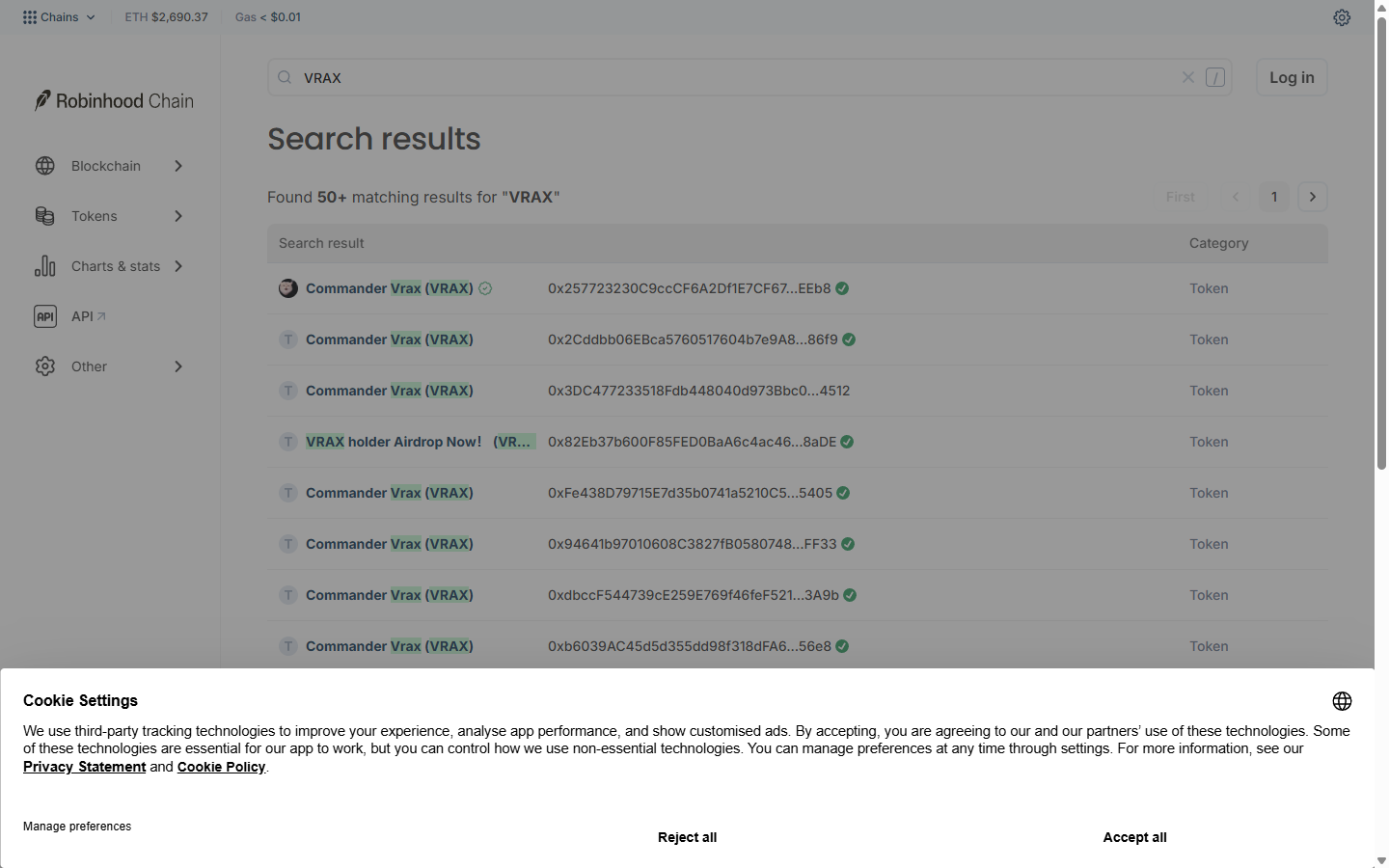
Robinhood Chain explorer search for VRAX returning many tokens with the same name, 1 October 2026
3. Compare the full address, not the ends
Shortened addresses hide the middle, so paste the full address into the explorer.
Warning: Robinhood's docs say a token with a matching name or ticker but a different contract address is not a Robinhood Stock Token. The same caution fits meme coins: only the address identifies a token.
Step 4: Check the token on the explorer
1. Open the token page
Go to robinhoodchain.blockscout.com and paste the contract into the search bar. The token page shows the name, the contract address and tabs for Details, Contract, Token transfers and Holders, plus total supply, holders and transfers.
2. Read the Holders tab
Open Holders. Look at who owns the supply and how much each owns. On 1 October 2026, the Commander Vrax contract 0x2577...EEb8 listed 320 holders, with a UniswapV3Pool at 27.81% as the top holder and the next wallets between 0.88% and 0.98%.
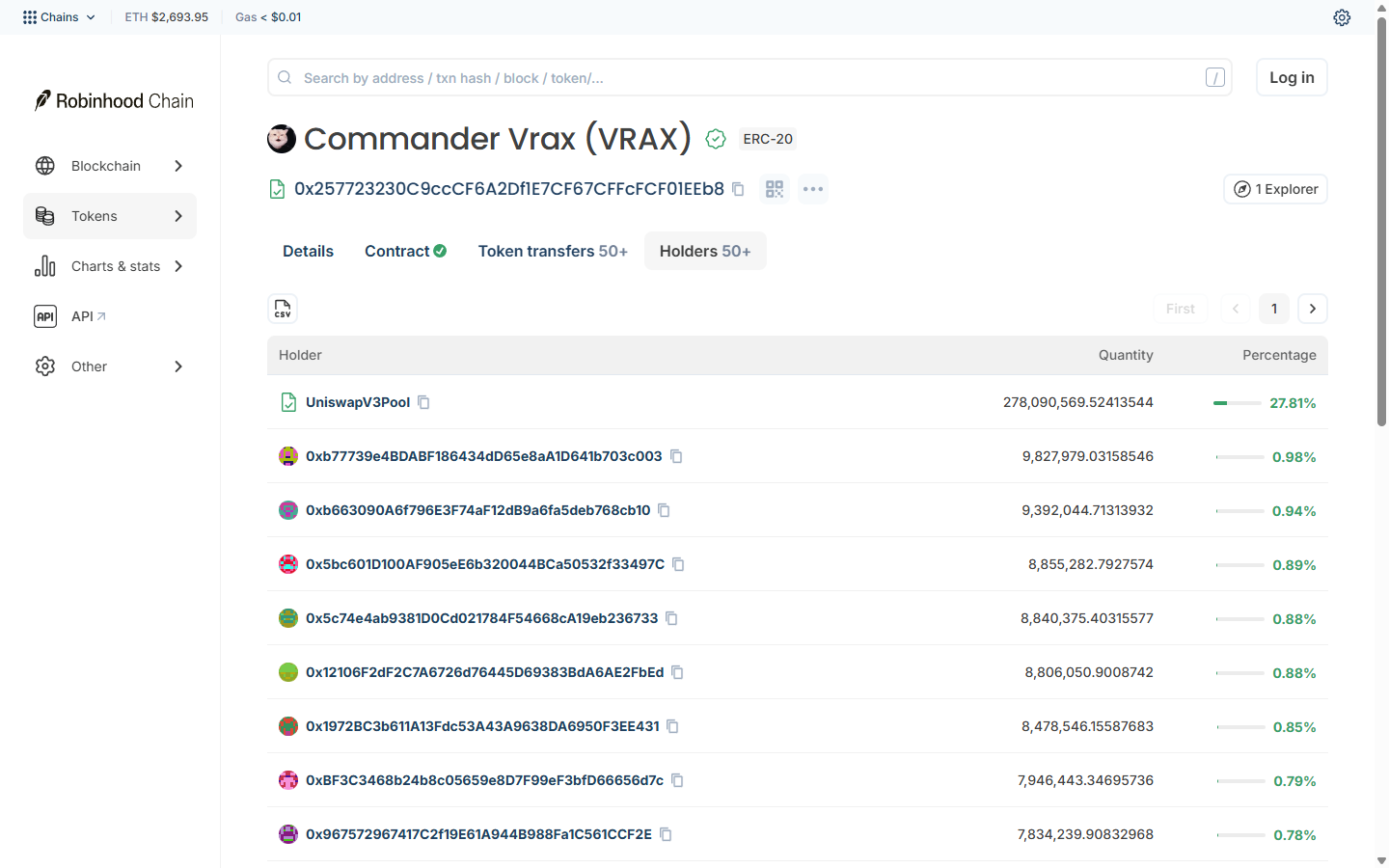
Holders tab of a Robinhood Chain meme token with a Uniswap V3 pool as the top holder, 1 October 2026
3. Separate the pool from the wallets
The pool holds the tokens that buyers trade against. Check whether a few ordinary wallets hold most of the rest, since they can sell into every buyer.
4. Run a second checker
GoPlus supports Robinhood Chain (chain ID 4663). honeypot.is does not: its API returned "Invalid chain" for chain ID 4663 on 1 October 2026.
Step 5: Fund and buy from Telegram
1. Get ETH onto Robinhood Chain
Gas on Robinhood Chain is ETH, so the wallet needs ETH for the buy plus a little extra. You can withdraw ETH from the Robinhood app to a Robinhood Chain address, or use /bridge in the Banana Gun bot to move funds from another chain.
Menu names can shift between bot updates, so if a label reads slightly differently, look for the closest match in the same menu.
Warning: leave gas on the source chain when you bridge, or the transaction on that side cannot be paid for.
2. Paste the contract in the bot
Open the Banana Gun bot, make sure it is set to Robinhood Chain, and paste the full contract address. Banana Gun runs a pre-trade sell check, and it blocks a token you cannot sell before the buy goes through.
That check is a honeypot check. It does not tell you whether the deployer can drain the liquidity, which is why Step 4 comes first.
3. Choose an amount and buy
Pick an amount you could lose completely. Banana Gun charges 1% on chains other than Ethereum.
Example: a 0.1 ETH buy costs 0.001 ETH in fees before slippage.
Step 6: Set an exit before you need one
1. Open a limit order
Paste the contract again and set a sell limit order for part of your position. On Robinhood Chain the bot supports limit orders, and you set the size to sell and the trigger.
2. Set a take profit and a stop loss
A take profit sells at your target and a stop loss sells at your floor. For a 4x target, set the trigger at +300%.
Example: if you buy at a $150K market cap, 4x means the token has to reach $600K. A take profit set at $600K never fires if the token tops out at $400K, and you keep the position.
3. Add a trailing stop loss
Trailing Stop Loss raises its trigger as the price makes new highs. A sharp wick down can fill it before the price recovers, so you may sell lower than you wanted.
Why it didn't work
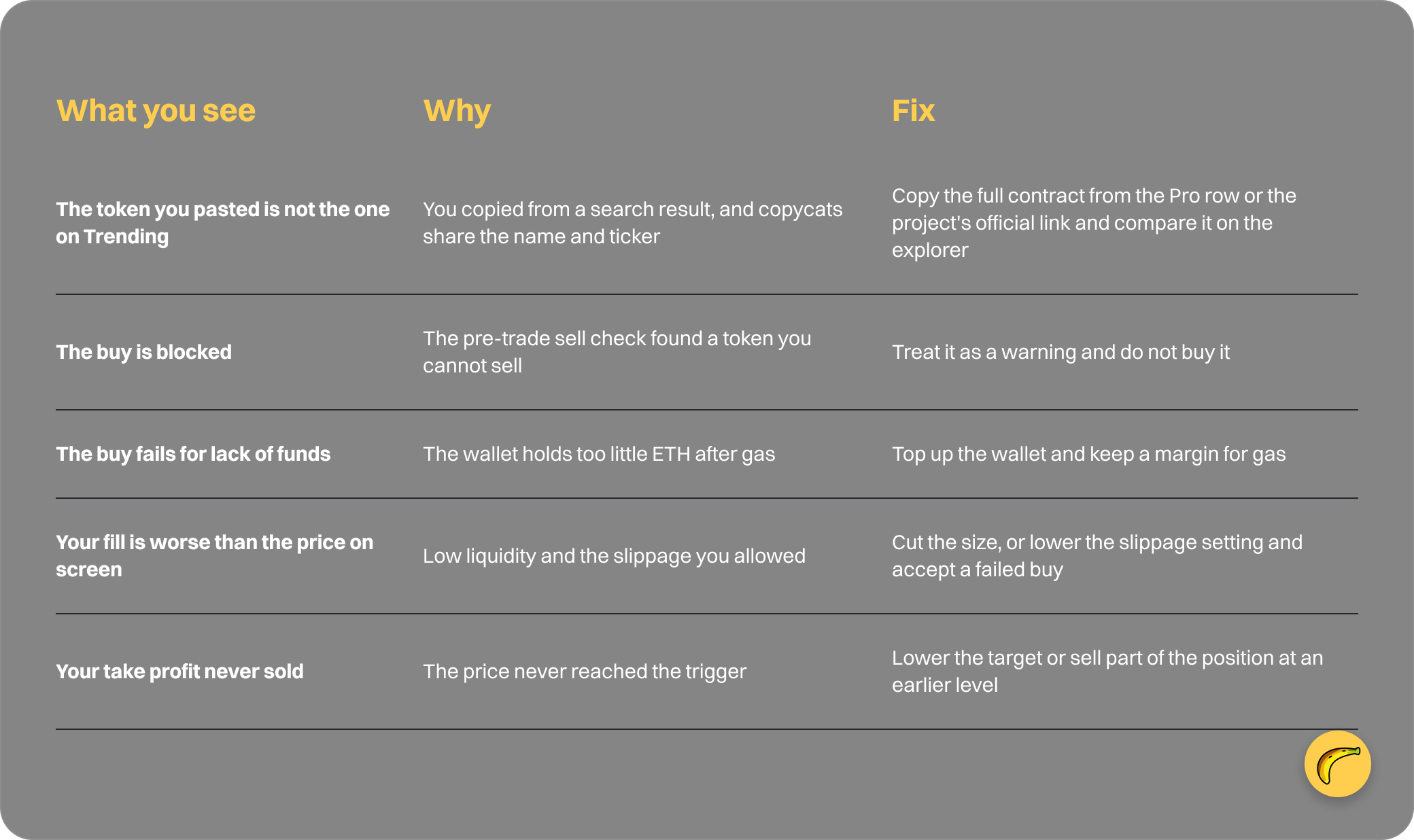
Quick recap
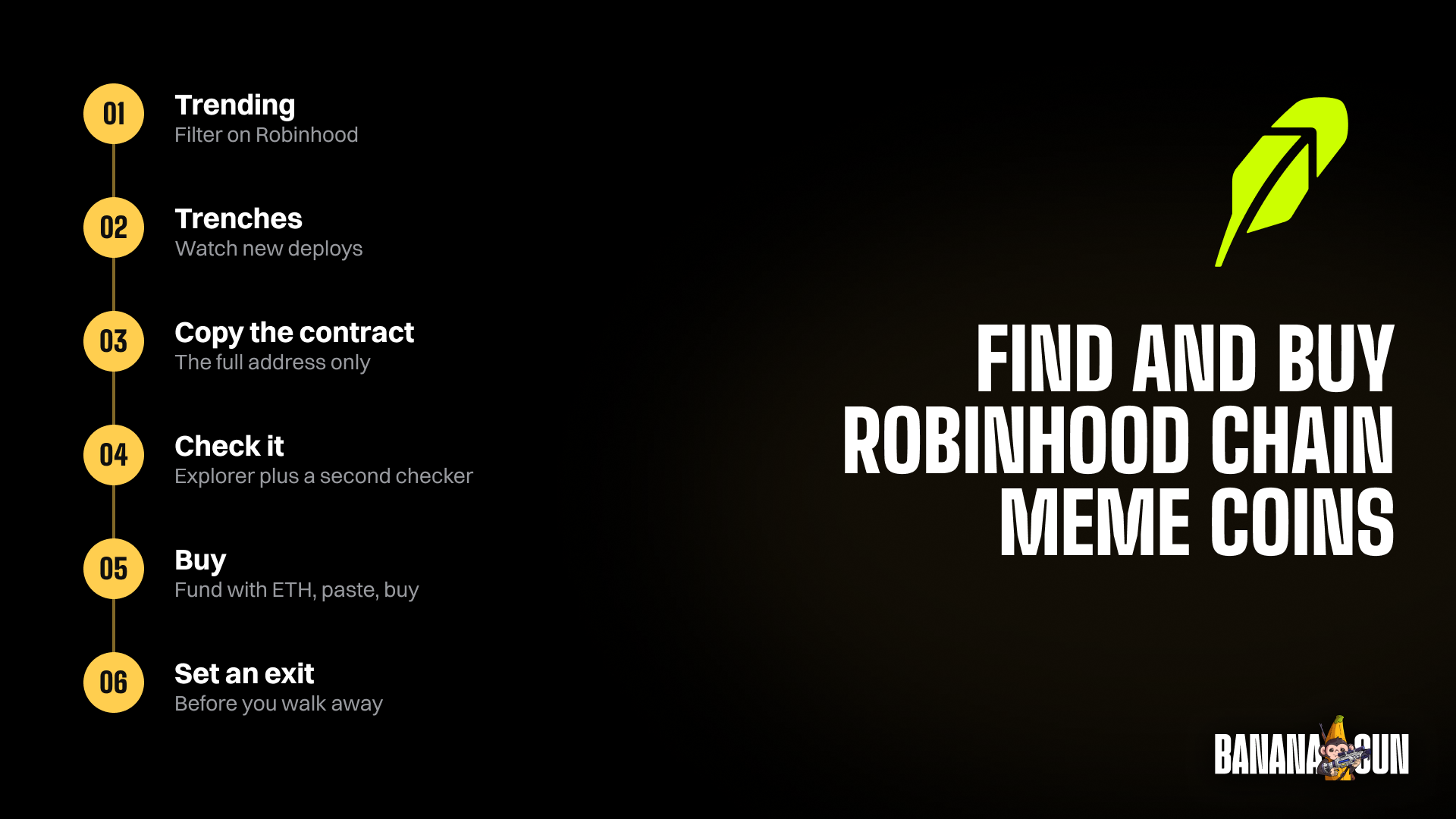
- Open Trending on Robinhood and apply Filter.
- Look at Trenches for new deploys.
- Copy the full contract from Pro or the project's own link.
- Check the token page, Holders and a second checker.
- Fund with ETH, paste the contract, buy.
- Set your exits before you walk away.
Frequently asked questions
What are Robinhood Chain meme coins?
They are community tokens on Robinhood Chain, an Arbitrum Nitro Layer 2 that uses ETH for gas and has been live since 1 July 2026. For the chain's first months, see Robinhood first three months.
Can I buy Robinhood Chain meme coins from Telegram?
Yes. Banana Gun supported Robinhood Chain from day one with market buys, limit orders and copy trading. You can also copy a wallet on Robinhood Chain instead of picking tokens yourself.
How do I know a token is not a copycat?
Match the full contract address against the Banana Gun Pro row or the project's official link, as the VRAX example shows.
Does Banana Gun guarantee a token is safe?
No. The sell check blocks tokens you cannot sell, and Anti-Rug has a documented 80 to 85 percent success rate on the scenarios it targets. Neither covers every way a token can lose you money.
Open the Banana Gun bot or browse Robinhood Chain on Banana Gun Pro to run your first check.