
New meme coins launch on-chain, so you buy them with a wallet and the chain's gas asset, not on an exchange. Older names such as PEPE or BONK appear on Robinhood's crypto transfers page, but a fresh launch on Solana, Base, BNB Chain, Robinhood Chain or Ethereum will not.
You need a wallet, the right gas asset for the chain, and a contract address you trust. Banana Gun gives you the wallet, the buy button and the bridge in one Telegram bot.
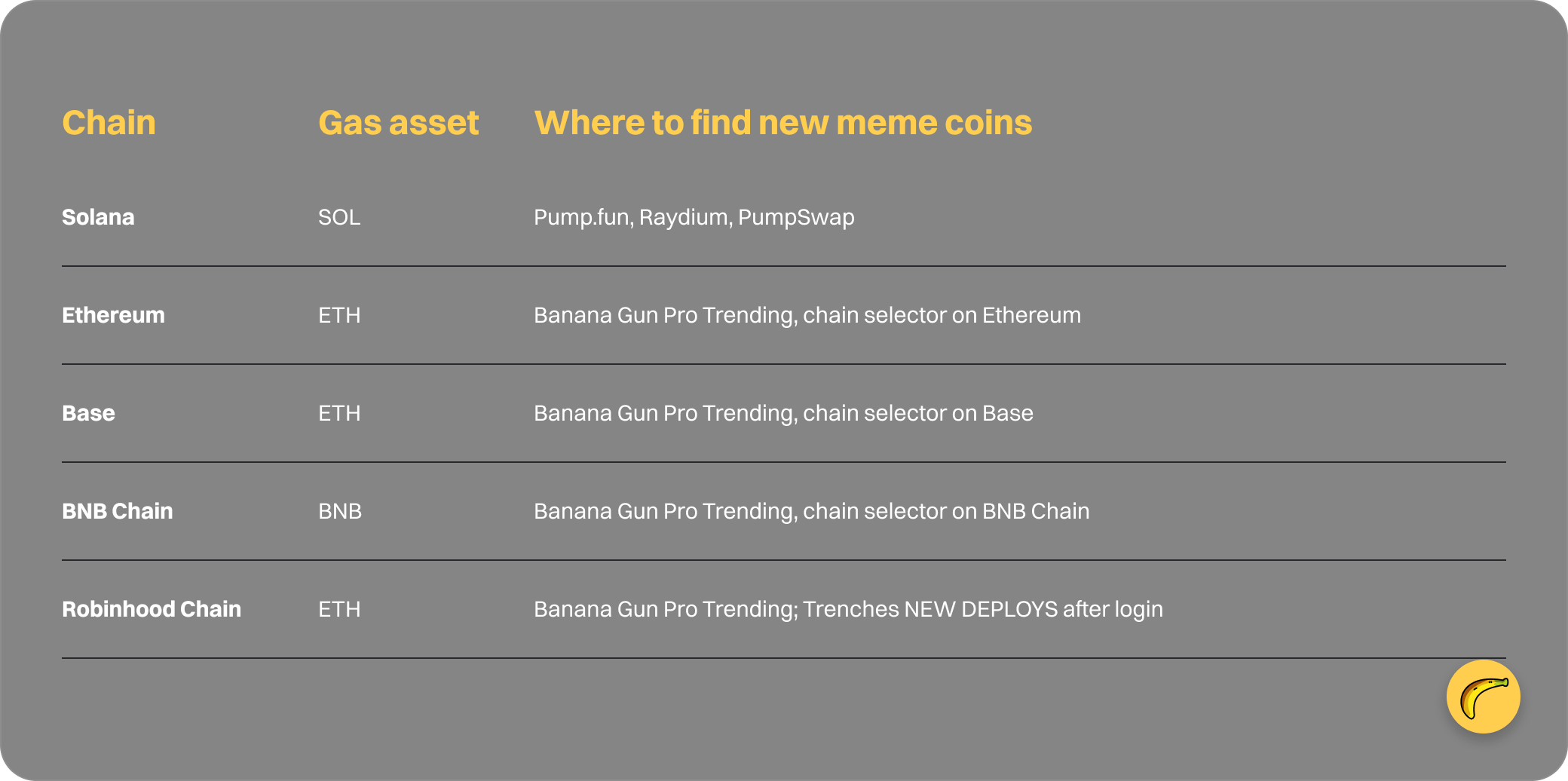
The table shows what changes by chain.
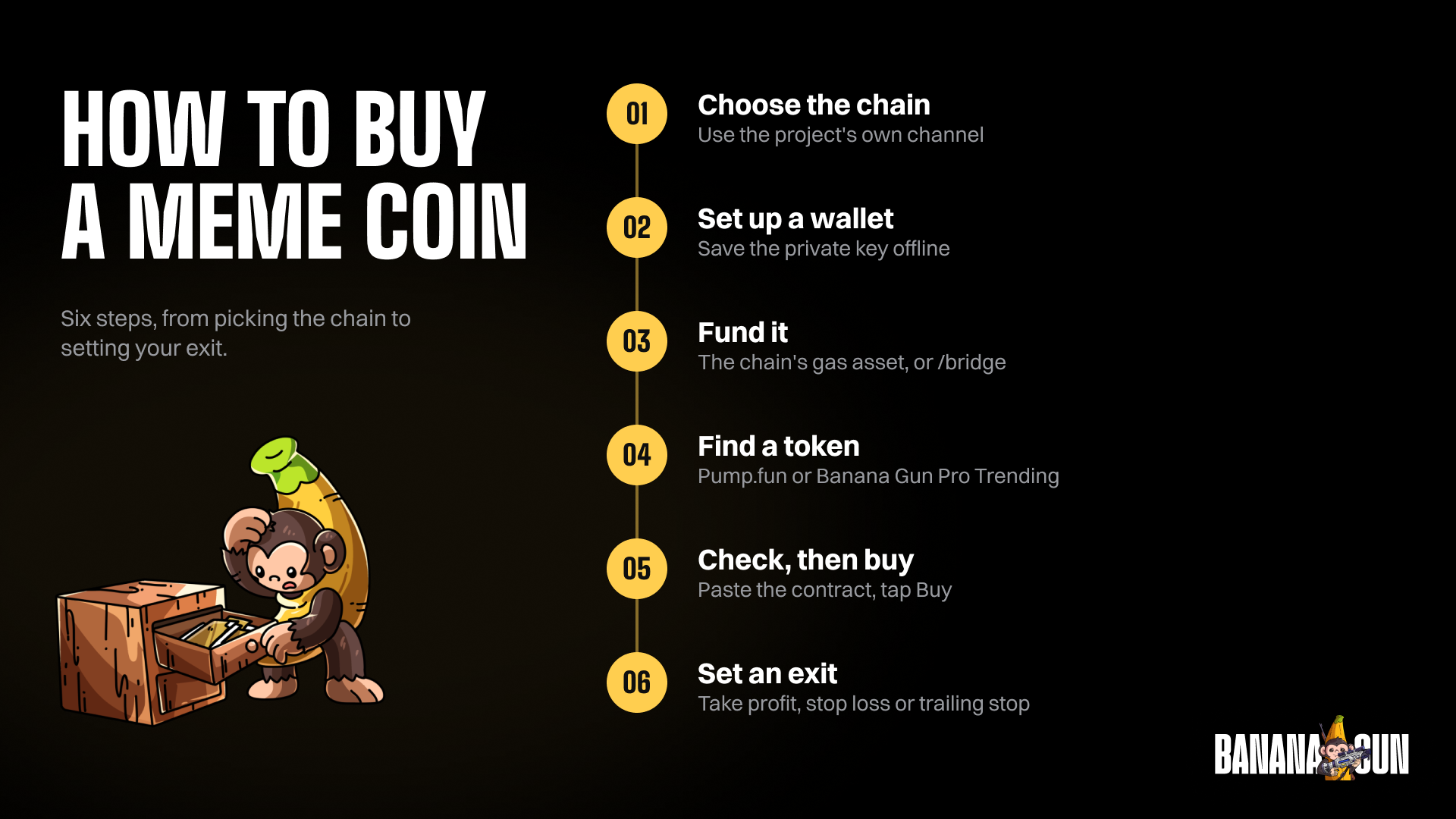
Step 1: Choose the chain
1. Match the chain to the token
A token lives on one chain, and a Solana address is not valid on Base. Take the chain from the project's own channel, then confirm it in the chain selector on Banana Gun Pro.
2. Know what each chain costs
Banana Gun charges 0.5% on Ethereum manual buys and limit orders, and 1% on other chains, including Solana, according to docs.bananagun.io. Gas is paid in the chain's native asset on top.
3. Skip the exchange for new launches
Robinhood's US crypto transfers page lists meme coins such as DOGE, PEPE, SHIB, BONK, WIF and TRUMP, and flags some coins as not available for trading in New York and Texas. A coin launched this morning will not be on that list, so you buy it on-chain.
Step 2: Set up your wallet in the bot
1. Start Banana Gun
Open t.me/BananaGun_bot and tap Start. Menu names can shift between bot updates, so if a label reads slightly differently, look for the closest match in the same menu.
2. Create or import a wallet
Tap Wallet Setup, then Create Wallet and name it, or Import Wallet to paste a private key from Phantom or Solflare. The private key is shown once, and Banana Gun cannot show it again.
Warning: save it offline before you close the message.
3. Copy your address
Use /wallets to see the public key. That is the address you send funds to. The full bot flow is in the first trade guide.
Step 3: Fund the wallet on the right chain
1. Send the gas asset from an exchange or wallet
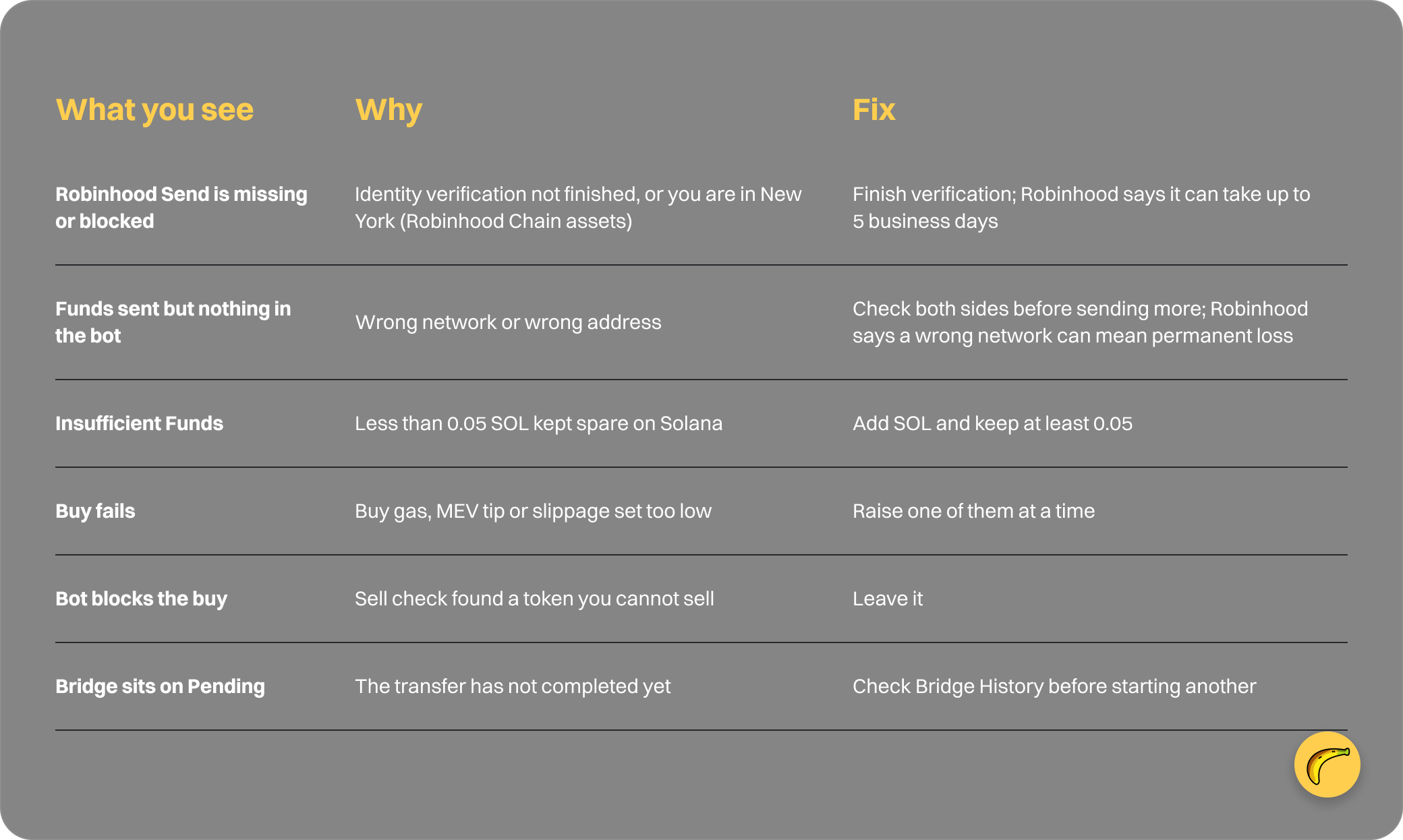
On Solana, send at least 0.1 SOL from Phantom or an exchange, and keep at least 0.05 SOL spare to avoid Insufficient Funds. On other chains, fund that chain's gas asset plus the amount you want to spend.
2. Move funds between chains with the bridge
Send /bridge, tap Bridge Asset, then pick Source Chain and Destination Chain. The options are ETH, BASE, BNB, STABLE, ROBINHOOD, HYPEREVM, SOL and Arc. Tap Next.
Choose Source Wallet, Destination Wallet, Source Asset, Destination Asset and Amount, then tap Preview to read You pay, You receive and ETA. Tap Confirm and watch it go Pending, then Success. Leave gas on the source chain.
3. Send ETH from the Robinhood app to Robinhood Chain
Per Robinhood's US crypto transfers page, ETH, USDG and CASHCAT can be sent on Robinhood Chain, using an address that starts with 0x. On the crypto's detail page tap Send, paste your Banana Gun address, enter the amount, then review and submit.
Robinhood says identity verification can take up to 5 business days before transfers are enabled. Transfers of ETH on Robinhood Chain are unavailable in New York, and the EU version of that page does not mention Robinhood Chain.
Warning: transfers are final and cannot be reversed, even by Robinhood. A wrong network can mean permanent loss. Copy the address from the bot, not from memory.
Robinhood charges only the network fee, added to what you send. Other Robinhood Chain tokens are not withdrawable from the app, so you buy them in the bot with ETH.
Step 4: Find a token
1. Open a discovery page
For Solana, Pump.fun shows live callouts and a Trending list; this post explains how its launches work. For any chain, use Banana Gun Pro at pro.bananagun.io, where the Trending page is public and in beta.
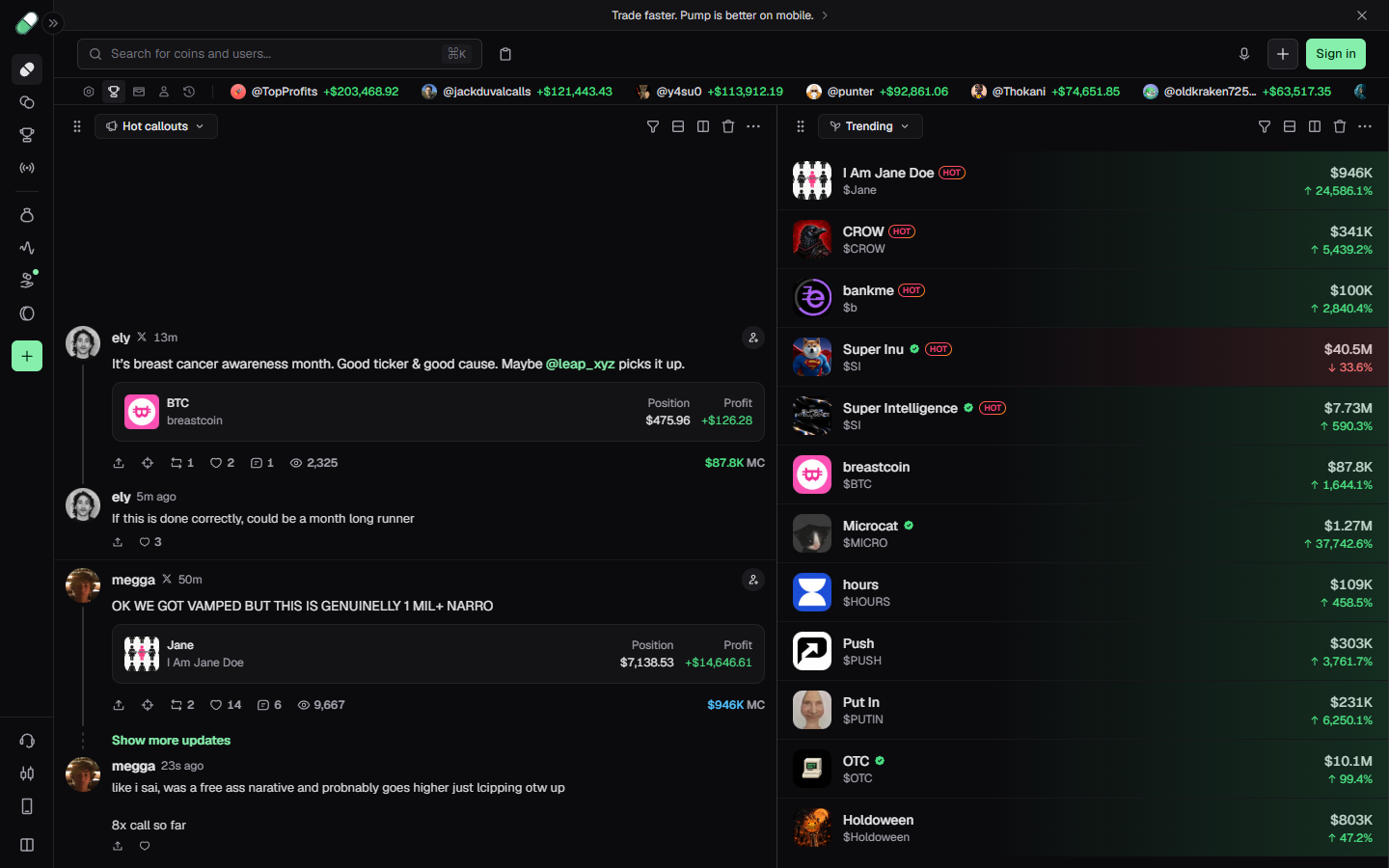
Pump.fun board on 1 October 2026 with a Hot callouts feed and a Trending list showing market cap and percent change
2. Pick the chain and filter
Use the chain selector, then set a timeframe (5M, 1H, 4H, 12H or 24H) and tap Filter for age, market cap, liquidity and volume. Trenches, which is visible after login, lists NEW DEPLOYS with age and volume.
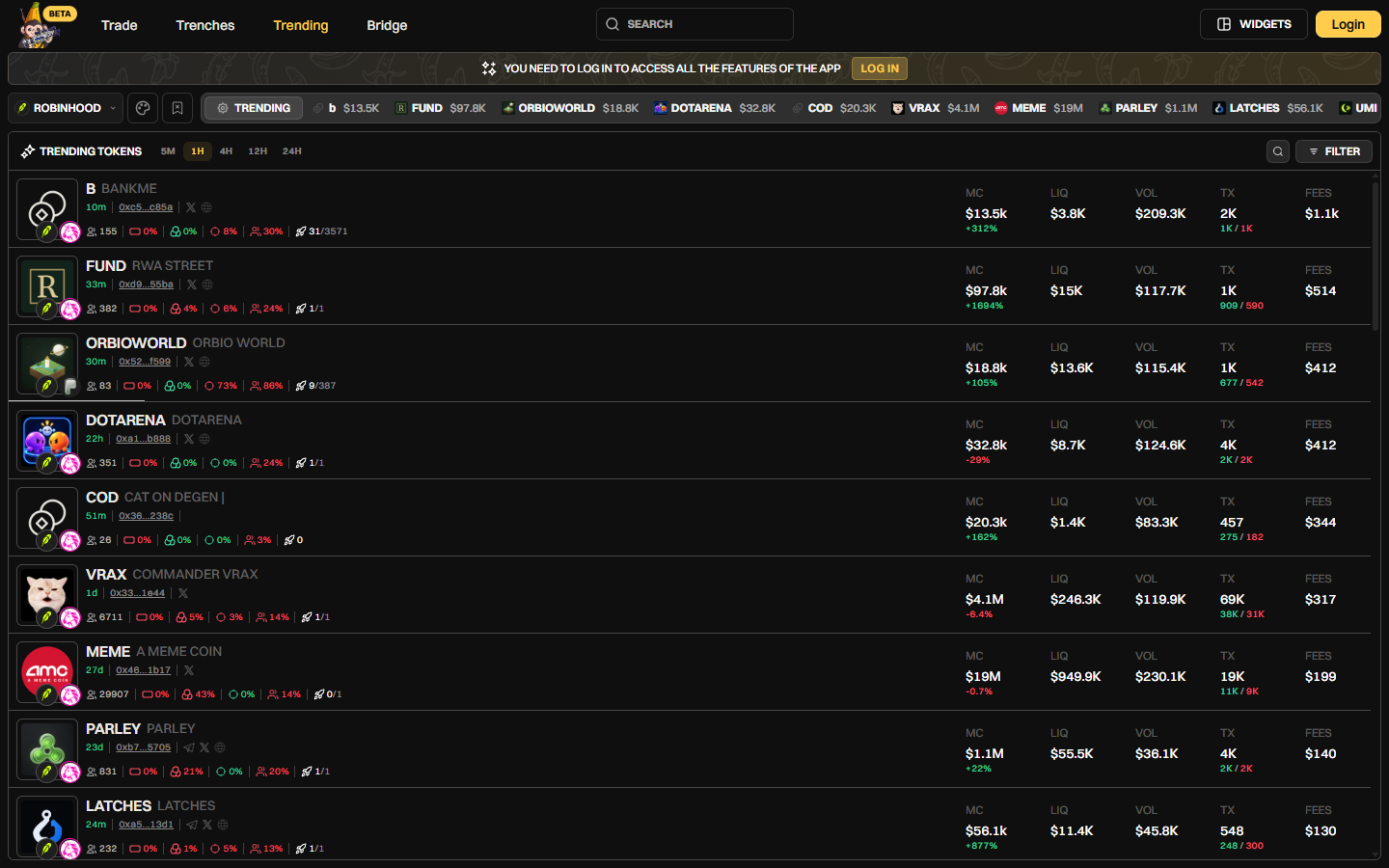
Banana Gun Pro Trending page on Robinhood Chain, 1H timeframe, listing tokens with market cap, liquidity and volume, 1 October 2026
Example: on 1 October 2026 the top Robinhood Chain row was B (BANKME), 10 minutes old, at a $13.5K market cap with $3.8K liquidity. A pool that small gives a large buy more slippage.
3. Copy the contract from the project
Each row shows a short contract. Confirm the full address with the project's own link, since a copy can reuse a name or ticker. Trading from Banana Gun Pro needs a login.
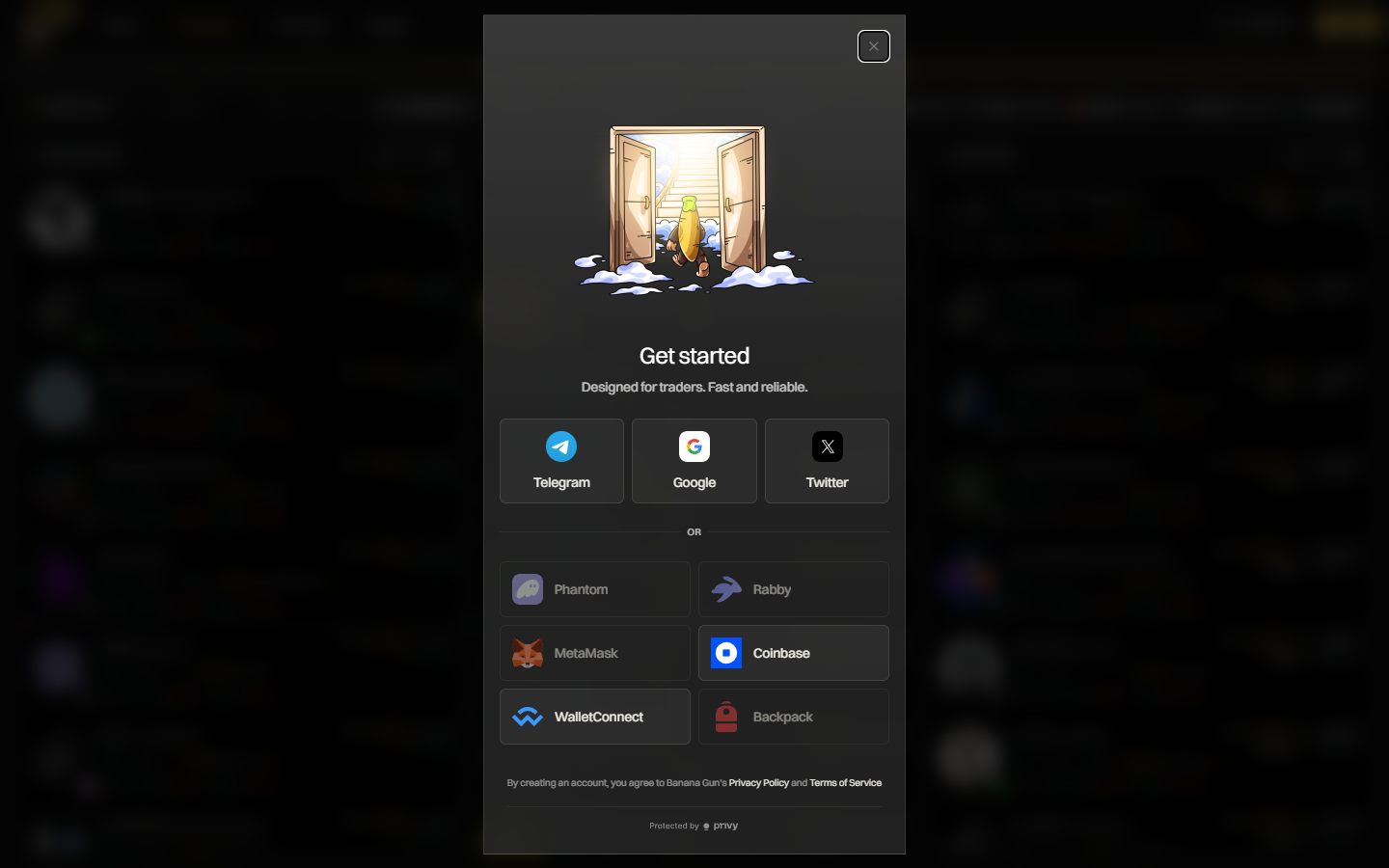
Banana Gun Pro sign-in window with Telegram, Google, Twitter and wallet options such as Phantom, MetaMask and Coinbase, 1 October 2026
Step 5: Check it, then paste and buy
1. Check the contract
Check who holds the supply, whether liquidity is locked, and whether you can sell. Banana Gun's pre-trade sell check blocks tokens you cannot sell, but a honeypot check is not a rug check. The guide on how to read a token contract covers the rest.
2. Paste the address
Paste the contract or a Birdeye, DexScreener or pump.fun link. The buy menu shows Market Cap, Liquidity, Price and Tax at paste time.
3. Tap Buy
Choose a preset or custom amount, tap Buy, and wait for Buy Success. Check /positions. If it fails, raise buy gas, the MEV tip or slippage, one at a time.
Warning: slippage you allow is price you may pay. Raising it to 30% to force a fill can cost you 30% of the tokens.
Step 6: Set an exit
1. Open a sell limit order
Paste the contract and tap Setup Sell Limit Order. Set Tokens as the percentage to sell and Active for how long it lives.
2. Choose take profit and stop loss
Pick Take Profit or Stop Loss and trigger on Market Cap or Token Price percent change. +100% is a 2x, +200% a 3x and +300% a 4x. These are targets you set.
Example: a $150K token needs $600K for a 4x; a $5M token needs $20M.
3. Use a trailing stop on the rest
Trailing Stop Loss raises its trigger as price makes new highs. A take profit that is never reached never sells, and slippage can fill a sell below your stop.
Why it didn't work
Quick recap
- Pick the chain from the project's own channel.
- Create or import a wallet and save the private key offline.
- Fund the gas asset, or use /bridge to move funds between chains.
- Find a token on Pump.fun or Banana Gun Pro Trending and confirm its contract.
- Check it, paste the contract in the bot, tap Buy.
- Set a take profit, stop loss or trailing stop.
Frequently asked questions
Where is the best place to buy meme coins?
It depends on the coin. Robinhood's transfers page lists large names, and new launches are bought on-chain. Banana Gun covers Ethereum, Solana, BNB Chain, Base and Robinhood Chain from one bot.
Can you buy meme coins on Robinhood?
Robinhood's US transfers page lists meme coins such as DOGE, PEPE, SHIB, BONK, WIF and TRUMP, with some flagged as not available for trading in New York and Texas. Robinhood Chain tokens other than ETH, USDG and CASHCAT are not withdrawable from the app.
Is buying a new meme coin risky?
Yes. A token can be a honeypot, liquidity can be pulled, and a thin pool can fill you well below the quoted price. If you would rather follow a wallet, see how to copy trade on Robinhood Chain.
Open Banana Gun on Telegram and make your first meme coin buy with an amount you can afford to lose.