
Telegram trading bots let you execute on-chain trades directly from Telegram without opening a browser or connecting to a DEX manually. This guide walks through the basics, from setting up a wallet and funding it to buying a token and placing exit orders. We'll use Banana Gun as an example, which has processed over 24 million trades and $16 billion in lifetime trading volume.
What is a Telegram trading bot?
A Telegram trading bot is a tool that connects to decentralized exchanges and executes trades on your behalf through Telegram commands. When you place a buy order, the bot signs and broadcasts the transaction, handling RPC connections, gas estimation, and routing automatically.
Because everything happens inside Telegram, you can trade from both mobile and desktop with the same experience. The main trade-off is security: the bot either holds or accesses your private key, so it's important to choose a platform with a strong security model and audited infrastructure.
How do you open a Telegram trading bot for the first time?
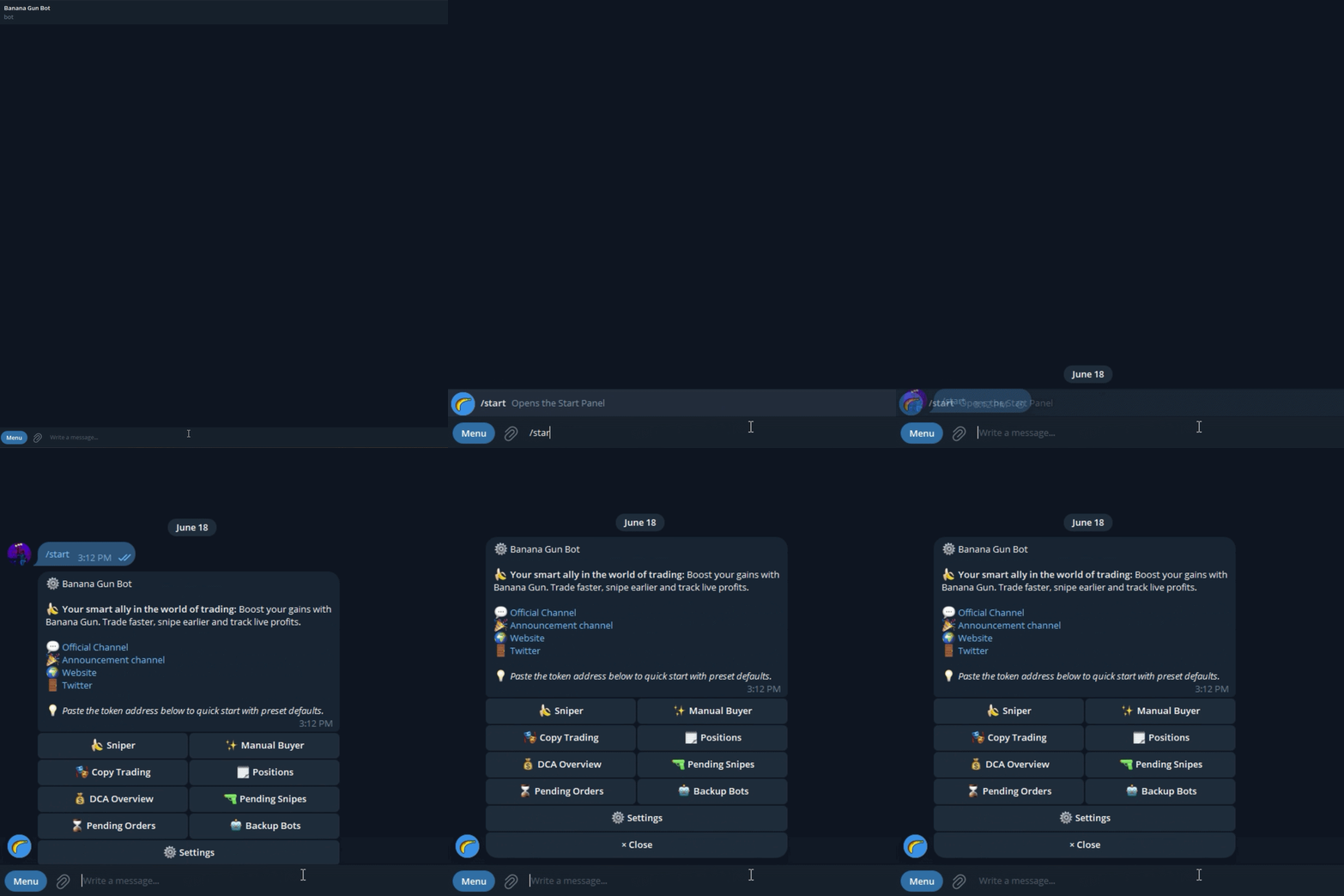
Search for @BananaGun_bot on Telegram or open it directly through the link. Tap Start and you'll see a welcome message with the main menu options. You don't need to create an account or provide an email address—your Telegram account is enough to get started.
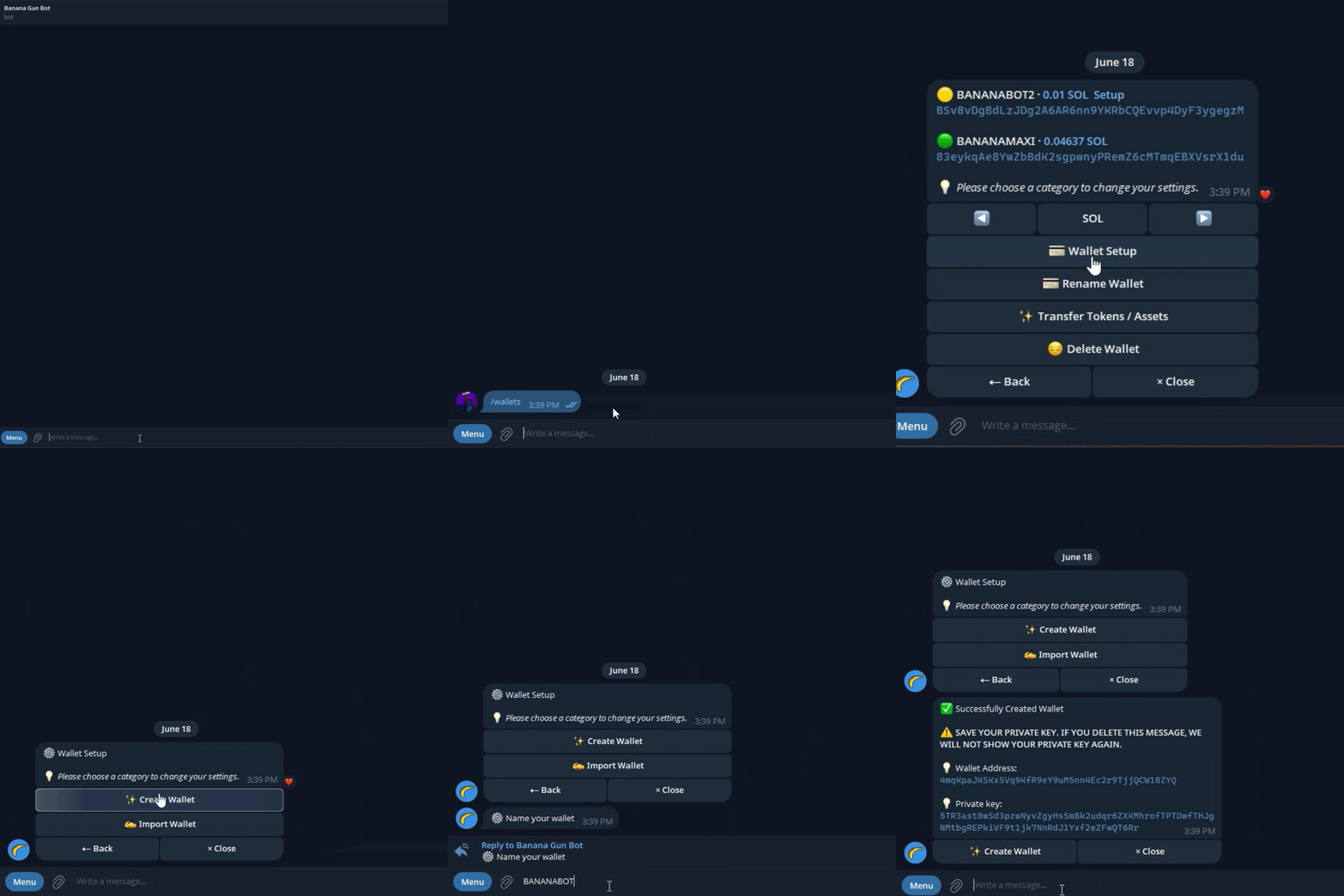
From there, you'll be asked to either create a new wallet or import an existing one, depending on your setup.
How do you fund a Telegram bot wallet?
Open the Wallet section, copy your wallet address, and send funds from an exchange or another wallet. Make sure you send the correct asset for the network you're trading on: ETH for Ethereum, SOL for Solana, and BNB for BNB Chain.
Only fund what you plan to trade. A good starting amount is enough for one or two trades plus extra funds to cover gas fees, giving you some room in case a transaction needs to be retried.
How do you find a token to trade inside the bot?
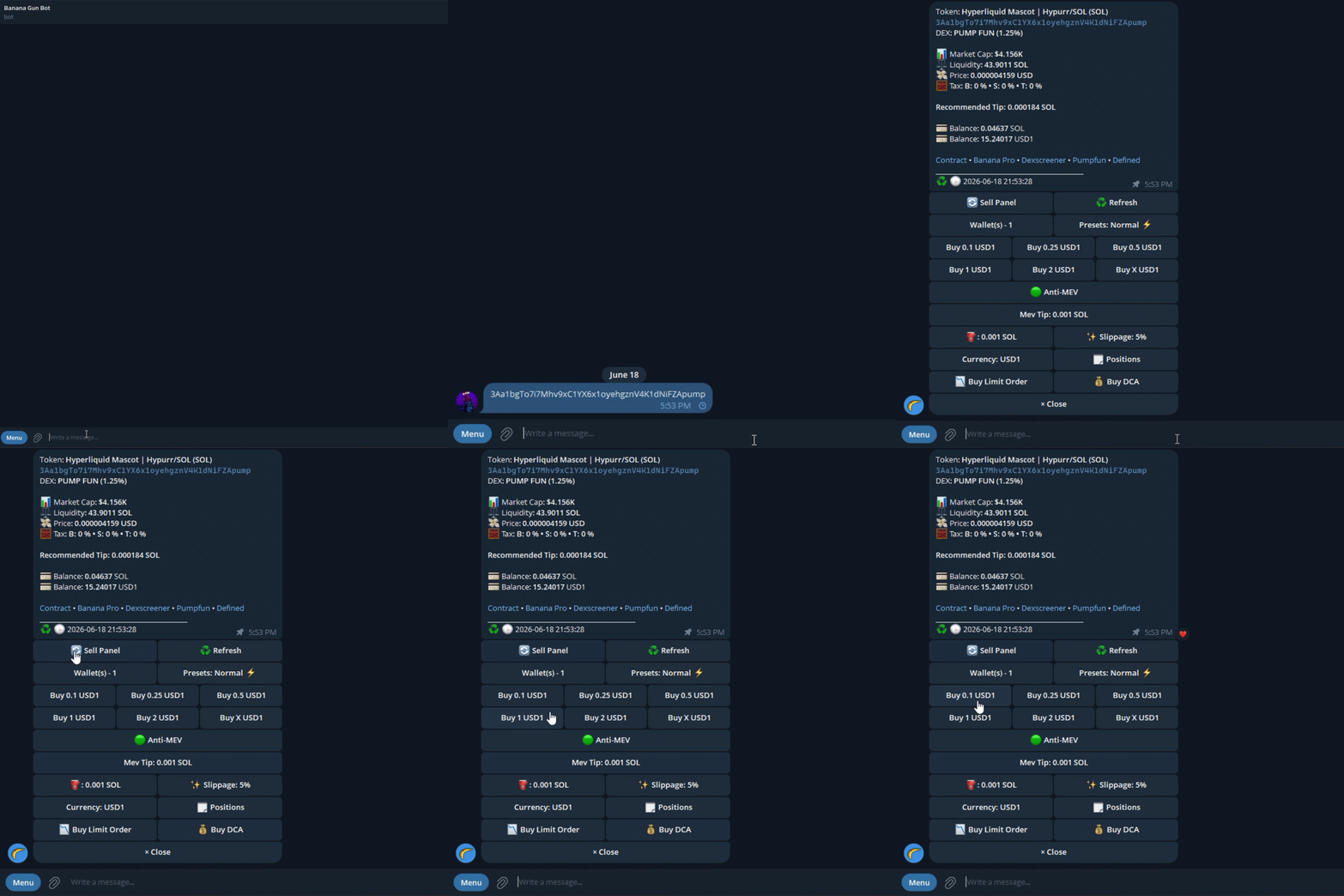
The safest way is to paste the token's contract address directly into the bot. Banana Gun will instantly display key information such as the token name, current price, liquidity, and a basic security scan.
Always verify the contract address from a trusted source, such as the project's official channels or a reputable token listing site. Contract address scams are one of the most common ways traders lose money.
You can also use the built-in search feature, but entering the contract address is more reliable, especially for newer or low-cap tokens.
How do you set buy amount and slippage?
Once the token loads, enter your buy amount using the network's native asset (ETH, SOL, BNB, etc.) and choose a slippage tolerance.
For liquid tokens, 1-3% slippage is usually sufficient. More volatile or low-liquidity tokens may require 5-15%, although higher slippage also increases your risk of sandwich attacks.
You'll also see gas settings. Higher gas can speed up execution but increases transaction costs. For most trades, the default setting is fine, while fast-moving markets may require manual adjustments.
How do you execute the trade and confirm it worked?
Tap Buy and the bot will sign and broadcast the transaction. Within seconds, you'll receive a confirmation message containing a transaction hash that you can open in a block explorer.
Verify three things: whether the transaction succeeded, how many tokens you received, and the price you paid. If a transaction fails, the most common causes are slippage that's too low, insufficient gas, or token taxes that prevent the trade from executing properly.
Frequently Asked Questions
Is it safe to give a Telegram trading bot my private key?
The risk depends on the bot. Reputable bots encrypt stored keys and publish audit results. Best practice is to use a dedicated trading wallet that holds only the funds you intend to trade, never your primary holding address. If the bot is ever compromised, that approach limits your exposure to the trading balance only.
What is slippage tolerance and what should I set it to?
Slippage tolerance is the maximum price change you will accept between submitting a trade and having it confirmed on-chain. For liquid tokens, 1-3% is standard. Low-liquidity or high-volatility tokens may require 5-15%, but wider slippage also makes your trade more attractive to sandwich bots.
What happens if my buy transaction reverts?
A reverted transaction means the trade did not execute, but you still pay the gas fee for the failed attempt. Common causes are insufficient slippage (the price moved too much while your transaction was pending), insufficient gas, or a token buy tax that fails the contract-level math. Adjust slippage or gas and retry.
Do Telegram trading bots work on mobile?
Yes. Because the interface is Telegram itself, the bot works identically on iOS, Android, and desktop. This is one of the main practical advantages over browser DEX interfaces, which can be slow or unreliable on mobile browsers.
Can I use the same wallet across multiple Telegram trading bots?
You can import the same private key into multiple bots, but doing so multiplies the attack surface. If any one bot is compromised, all of them have access to the same wallet. Dedicated per-bot wallets are the cleaner approach.