

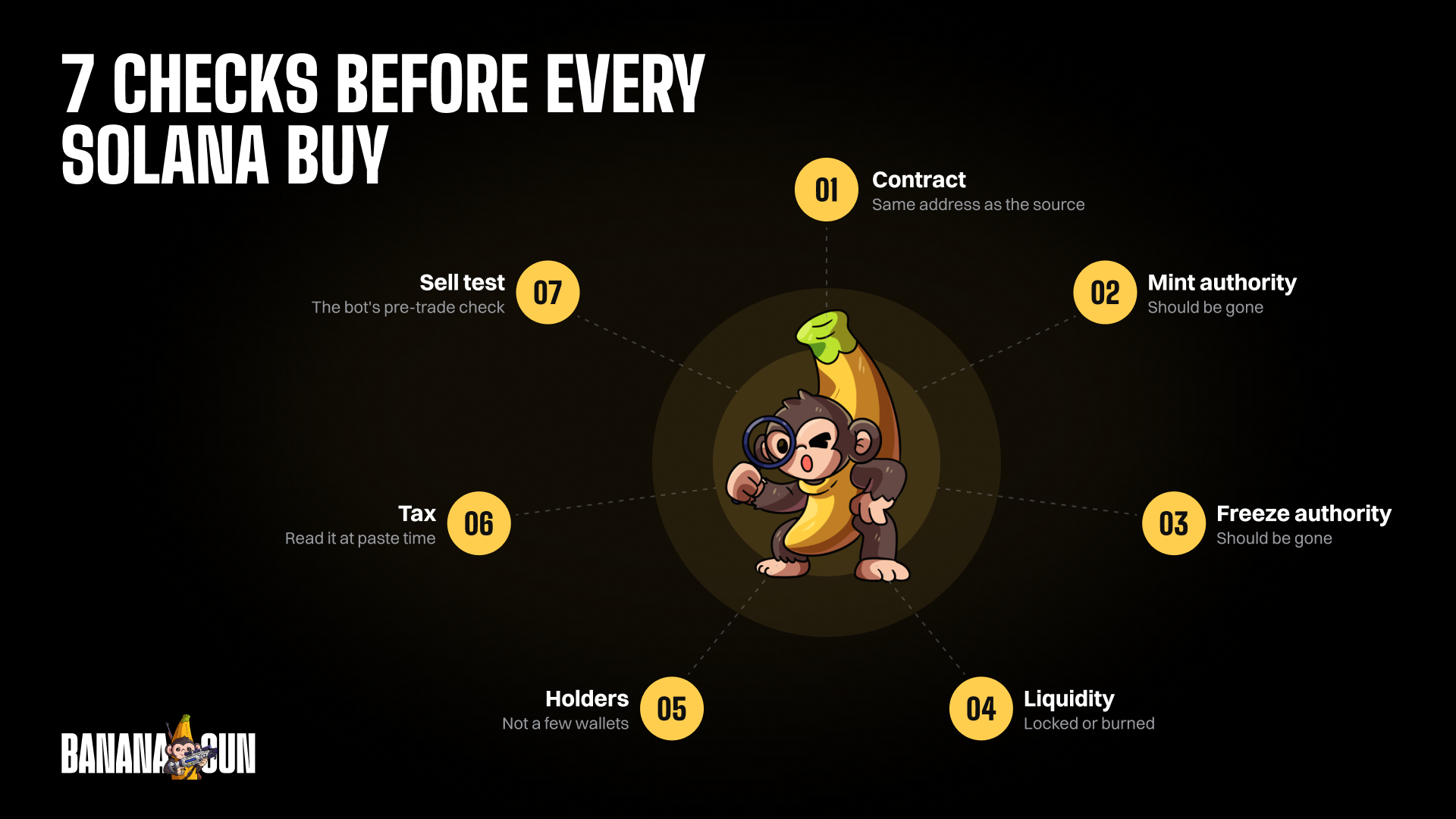
Run seven checks before you buy any new Solana token: the contract matches the source, the mint authority, the freeze authority, the liquidity, who holds the supply, the tax, and a sell test. None of them predicts a price; each one targets a specific way to lose money.
The odds are worth taking seriously. CoinGecko's Dune-based study of Pump.fun wallets found the share of traders with positive realized gains bottomed at 30.08% in June 2025 and reached 73.28% in April 2026. It counts realized PnL only, so bags that went to zero are missing.
You need a token page on RugCheck and a Banana Gun wallet.
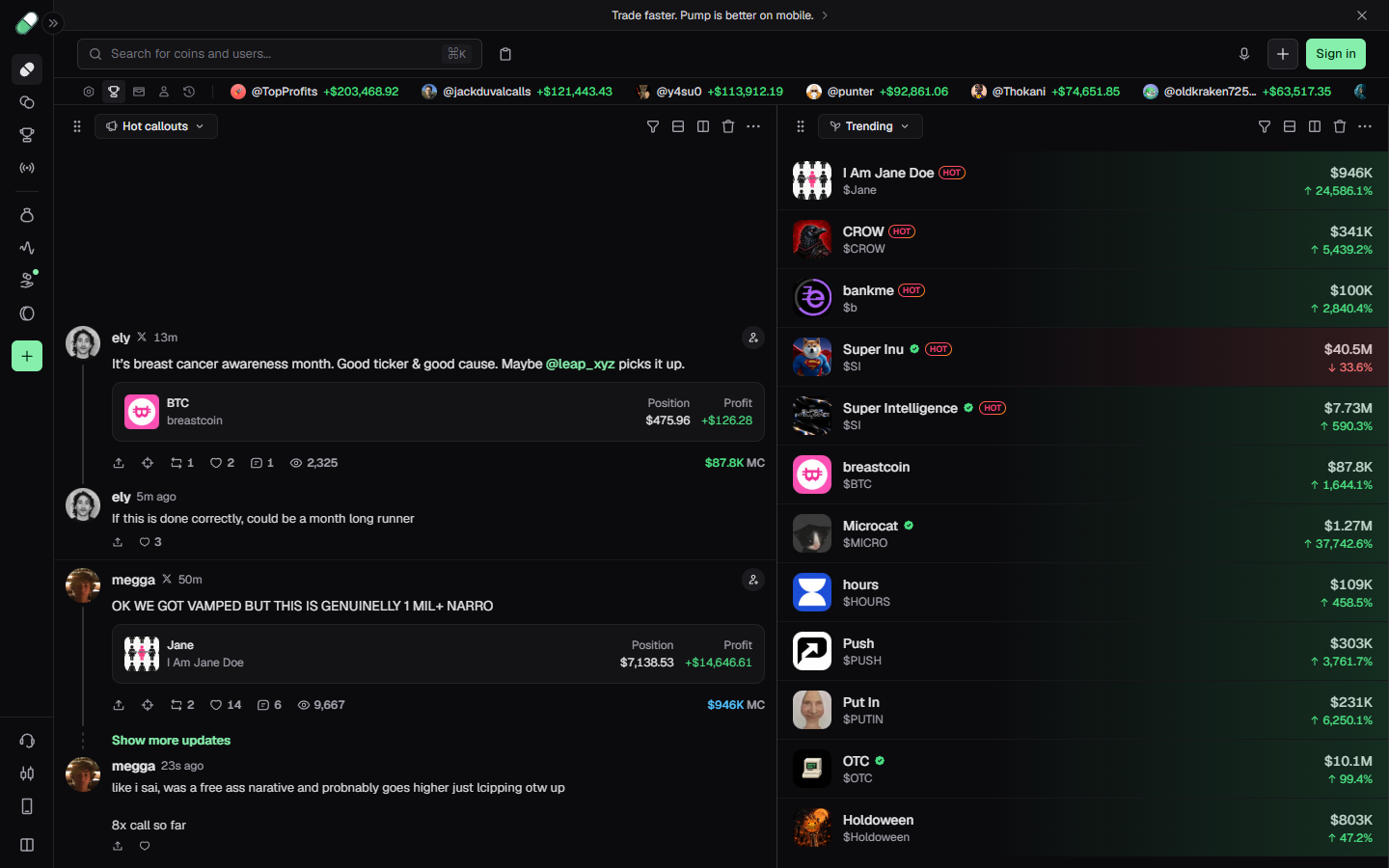
Pump.fun board with a Hot callouts feed and a Trending list of Solana tokens with market caps, captured 1 October 2026
Check 1: the contract matches the source
Where: the Token Contract line in the Banana Gun buy menu, against the address posted by the project's own account or its pump.fun page. Menu names can shift between bot updates, so if a label reads slightly differently, look for the closest match in the same menu.
The buy menu also links to Solscan, Birdeye, DexScreener, Dextools and Defined, so you can open the token's page from there.
A bad result is two tokens with the same ticker and an address that does not match the one you were given. Names and tickers are free to copy; the contract address is the only identity.
Example: on the Banana Gun Pro Trending capture below, two rows carry the ticker SI, Super Inu at a $40.7M market cap and Super Intelligence at $7.4M, each with a different short contract. A search by ticker alone cannot tell you which one you were sent to buy.
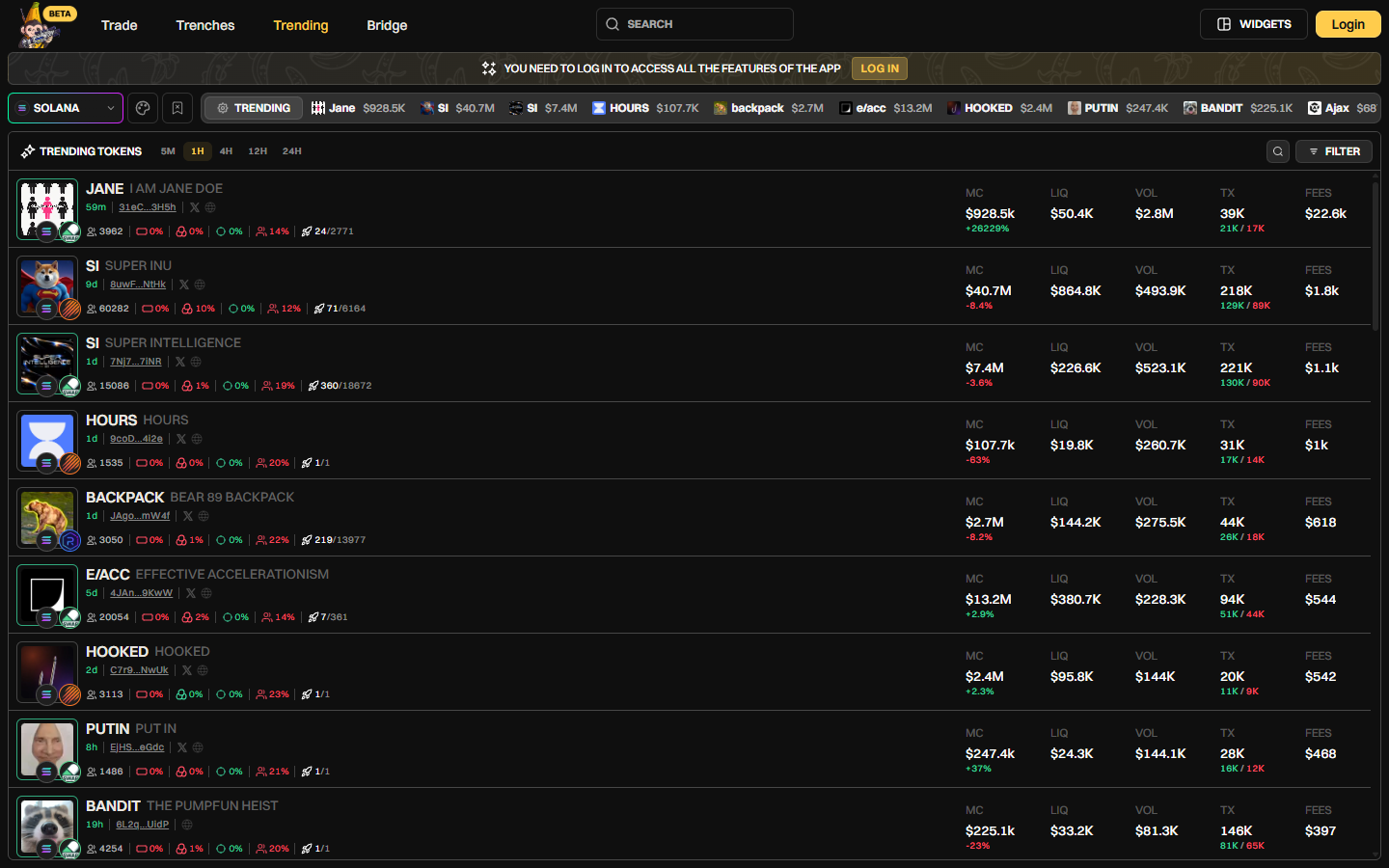
Banana Gun Pro Trending page on Solana, 1H timeframe, listing JANE, SI, HOURS and other tokens with MC, LIQ, VOL, TX and FEES, 1 October 2026
Check 2: the mint authority
Where: the RugCheck token page. Scroll below the score tiles to the Token Overview section. On 1 October 2026 the Bonk page listed Mint Authority as "-", which means none is set, next to Supply 88T and a Metadata Authority row.
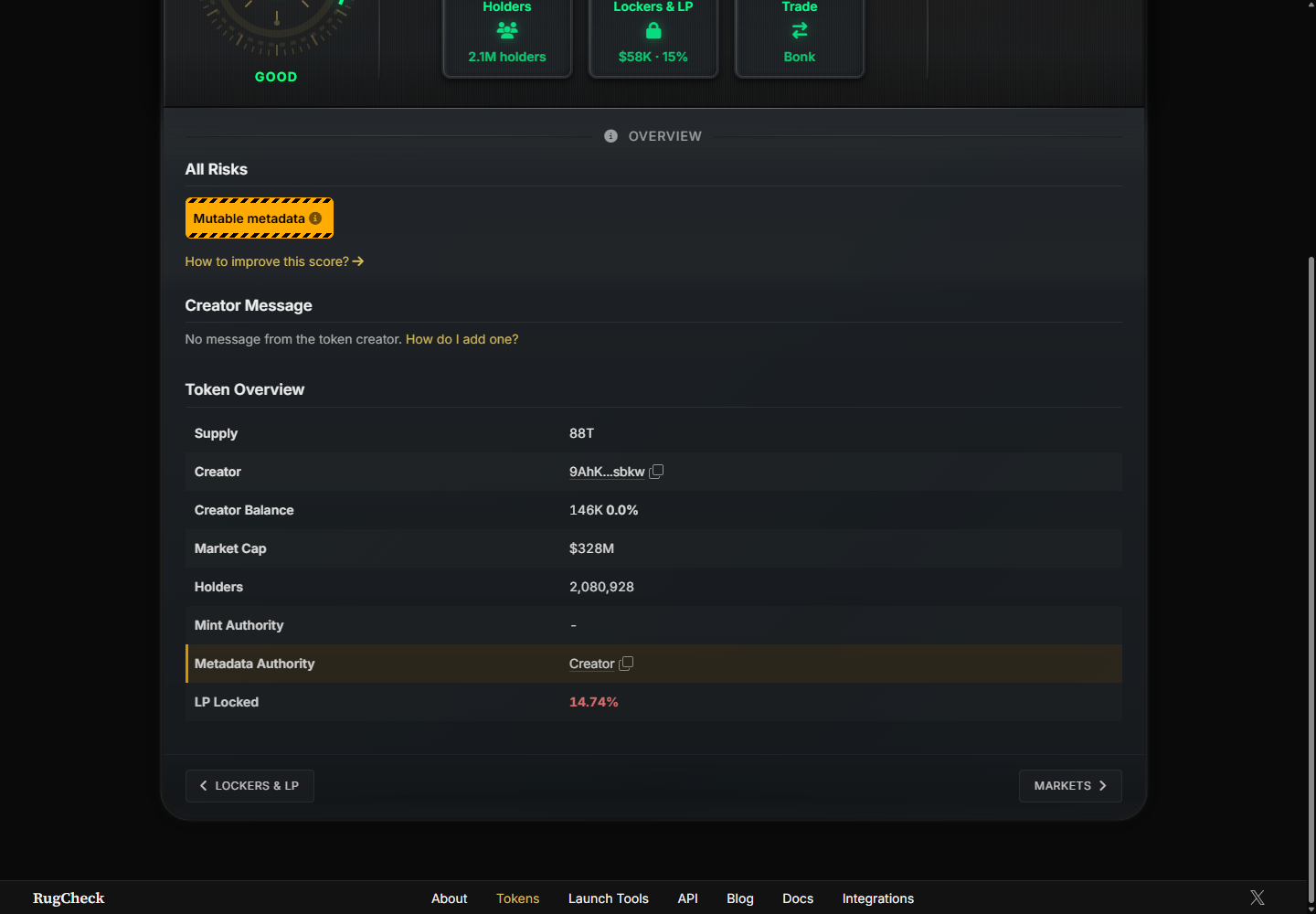
RugCheck Token Overview for Bonk on 1 October 2026: Mint Authority shows no value, LP Locked reads 14.74%
A bad result is a mint authority that still exists. An SPL token can keep one, which means more supply can be created after you buy.
Example: you buy at a $150K market cap. If the mint authority holder creates more tokens, your tokens become a smaller slice of a larger supply.
Check 3: the freeze authority
Where: the same RugCheck Token Overview section, if it has a row for it. The Bonk overview we opened showed a Mint Authority row and no freeze authority row, so a missing row is not a pass. A freeze authority lets its holder freeze the token accounts of holders.
A bad result is a freeze authority that is still assigned. A frozen account cannot move its tokens, which includes selling them.
Example: you buy 0.5 SOL of a token and the page lists a freeze authority. The buy may fill and the chart may look healthy, yet the account holding your tokens can be frozen after the fact.
A frozen account is one way to end up with a honeypot, a token you can buy but cannot sell. The token contract guide goes deeper on reading these fields.
Check 4: the liquidity is locked or burned
Where: the Lockers & LP tile on RugCheck. On the Bonk page it reads $58K · 15%, next to a Markets tile reading $638K, and the Token Overview row reads LP Locked 14.74%. On Banana Gun Pro, the LIQ column on each Trending row gives the pool size.
A bad result is liquidity that is neither burned nor locked. Whoever holds the LP tokens can withdraw it, and the pool you planned to sell into disappears.
Example: JANE on the Trending capture shows MC $928.5K and LIQ $50.4K. Market cap is a headline figure; the $50.4K pool is what your sell order actually meets. A tile showing 15% rather than 100% also tells you to open it and see what covers the rest.
Check 5: who holds the supply
Where: the Holders tile on RugCheck (2.1M holders on Bonk) and the holder count on each Trending row (3,962 on JANE). A count only tells you how many wallets exist, so open the Holders tile and read how the supply is split.
A bad result is a few wallets holding most of the supply. Any one of them can sell into every buyer after you.
Example: three wallets hold 60% of a token. One sells, the price drops through the pool, and your stop loss fires at a price you had no way to avoid.
Check 6: the buy and sell tax
Where: the Tax line in the Banana Gun buy menu, shown at the moment you paste the contract. A later change to the tax is not covered by that reading.
A bad result is a high number. etz-swap's explainer on unsellable tokens notes that a token with a 90% sell tax is technically sellable, but the holder loses nearly all the value.
Example: in Banana Gun's Copy Trade Advanced Settings, a Tax Limit of 10% makes a copy of a 15% tax token fail. Set a limit like that so a wallet you follow cannot pull you into a token you would have refused.
Check 7: a sell test
Where: Banana Gun runs a pre-trade sell check automatically and blocks the buy when it finds a token you cannot sell. You do not run this one by hand.
A bad result is a blocked buy. Do not respond by raising slippage until something goes through; etz-swap's explainer says blindly raising slippage is not a test for an unknown contract.
Example: you paste a contract, the sell check refuses it, and you move on with your SOL intact.
What Banana Gun checks for you
Banana Gun lists honeypot detection, anti-MEV protection and anti-rug protection among its features. Three defaults sit behind those lines.
The pre-trade sell check blocks tokens you cannot sell, before the buy. It does not re-run when a limit order or a copy trade fires, and a honeypot check is not a rug check.
Anti-MEV is on by default and uses private transactions, with Jito on Solana. Our post on how sandwich attacks drain traders explains what it guards against.
Anti-Rug has a documented 80 to 85 percent success rate on the scenarios it targets, so it does not stop every case it targets. See which protections are on by default for the full list.
Nothing on that feature list is a contract-match check, so check 1 stays yours. Checks 2 to 5 are yours too; the sell check only tests whether you can exit.
Keep the wallet small
Create a separate trading wallet in Wallet Setup > Create Wallet. The private key is shown once and Banana Gun cannot show it again, so save it before you close the screen.
Fund it with what you are willing to trade. The minimum is 0.1 SOL, and keep at least 0.05 SOL spare or buys can fail with Insufficient Funds.
Signals at a glance

What the RugCheck page itself shows
The Bonk capture shows a RugCheck Score of 7 labeled Good and a Risks box containing Mutable metadata.
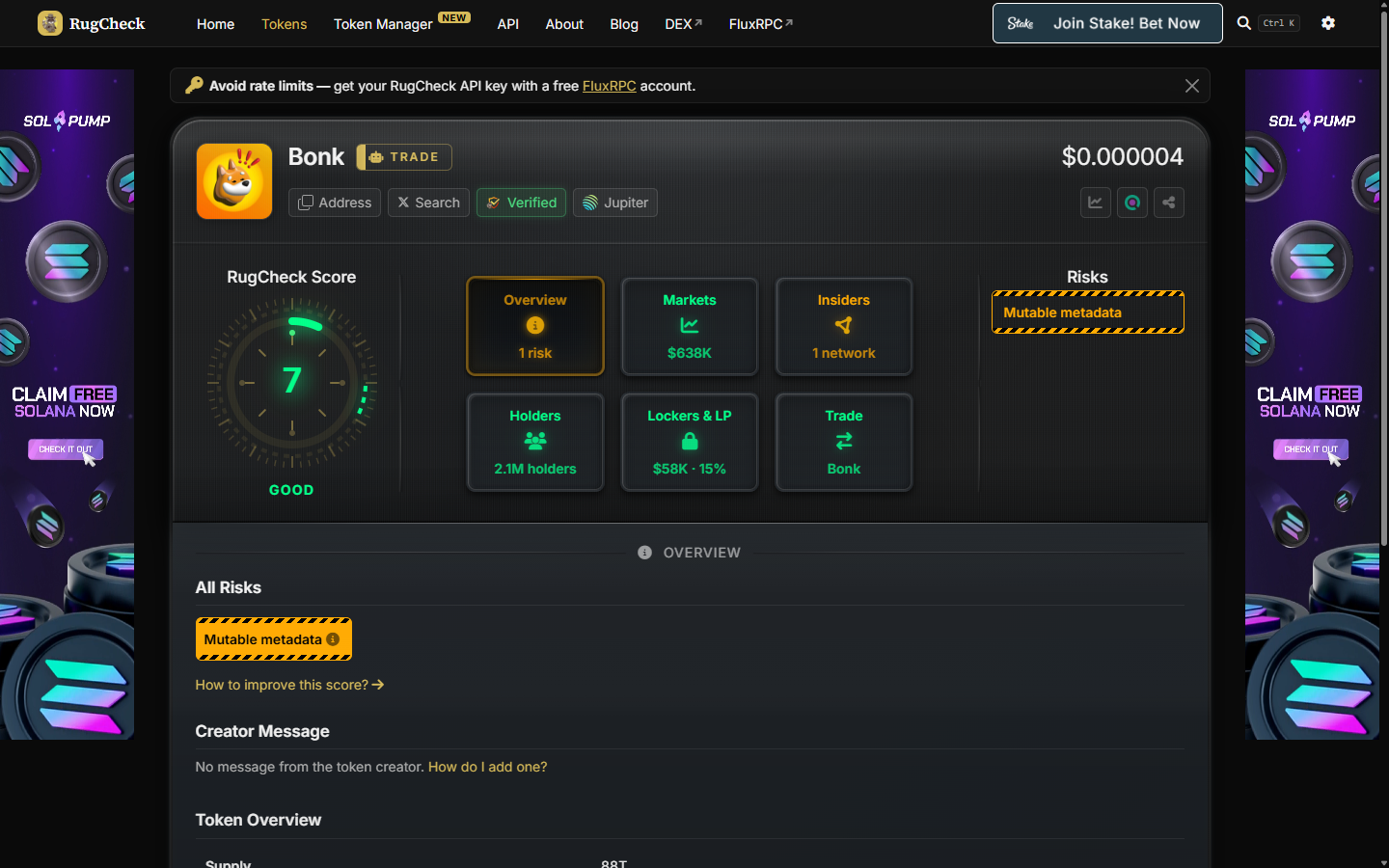
RugCheck page for Bonk showing a RugCheck Score of 7, six tiles and one listed risk, Mutable metadata, 1 October 2026
Bonk still lists one risk next to a good score. Read the Risks box line by line instead of stopping at the number, and open the info icon beside a risk.
Frequently asked questions
What do the Solana trenches show on Banana Gun Pro?
The Trenches tab shows NEW DEPLOYS with MCAP, VOL, TX, age, First 100 buyers status and Dev wallet funding. You need to log in to trade from it.
Does a good RugCheck score mean I can buy?
No. The Bonk page scores 7 and Good, and it still lists one risk. The score is one input beside the contract match, holders and liquidity.
Can a checker prove a token is not a rug?
No. A checker reads the token as it is now, and ownership or liquidity can change afterward.
What if a token fails one check?
Skip it. A failed check cost you nothing, while a buy costs the 1% Banana Gun fee on Solana plus a tip even if the token then goes to zero.
Open Banana Gun, paste a contract, and run these seven checks before you tap Buy.