
You trade Solana from Telegram by opening the Banana Gun bot, creating a wallet inside it, funding that wallet with SOL, and pasting a token's contract address to buy. You need Telegram, a little SOL and a place to save a private key.
The answer in one line: Start, create a wallet, send in at least 0.1 SOL, paste a contract, tap Buy. Selling and limit orders sit in the same chat.
This guide takes you from an empty bot to a bought position and an exit order. For how bots compare with browser-based swap pages, see Telegram trading bots vs DEX interfaces.
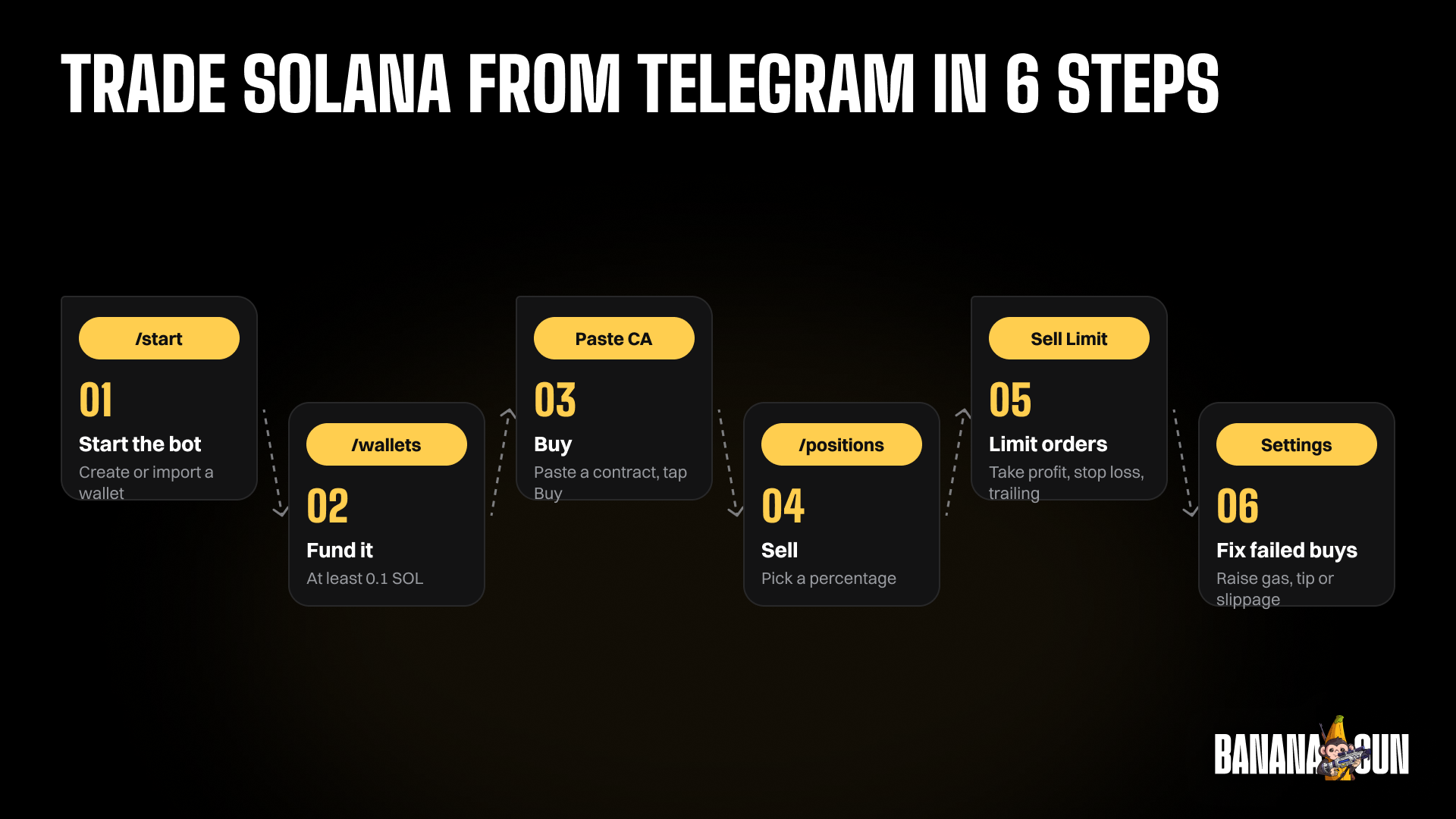
Step 1: Start the bot and create a wallet
1. Open the bot
Open t.me/BananaGun_bot and tap Start. The same chat is your main menu from here on; send /start whenever you want to return to it.
Menu names can shift between bot updates, so if a label reads slightly differently, look for the closest match in the same menu.
2. Create or import a wallet
Go to Wallet Setup. Tap Create Wallet and give it a name, or tap Import Wallet and paste a private key from Phantom or Solflare. Banana Gun shows a new wallet's private key once and cannot show it again.
Warning: write the private key down offline before you leave the screen. A screenshot sitting in your phone gallery is not an offline copy.
Step 2: Fund the wallet
1. Find your wallet address
Send /wallets. The bot lists the public key of each wallet you hold. Copy the one you want to trade from.
2. Send SOL to it
Open Phantom or your exchange and send SOL to that address. Banana Gun's docs ask for at least 0.1 SOL. Keep 0.05 SOL or more in the wallet at all times, because with less the bot returns Insufficient Funds.
Example: you send 0.5 SOL. A 0.4 SOL buy leaves 0.1 SOL. A 0.48 SOL buy leaves 0.02 SOL before fees, under the line.
Step 3: Buy a token
1. Find a contract address
Pick a token from a source you trust. Banana Gun Pro has a public Trending page for Solana in beta, with timeframes from 5M to 24H and a Filter for token age, market cap, liquidity and volume. You need to log in to trade there, so copy the contract and go back to Telegram.
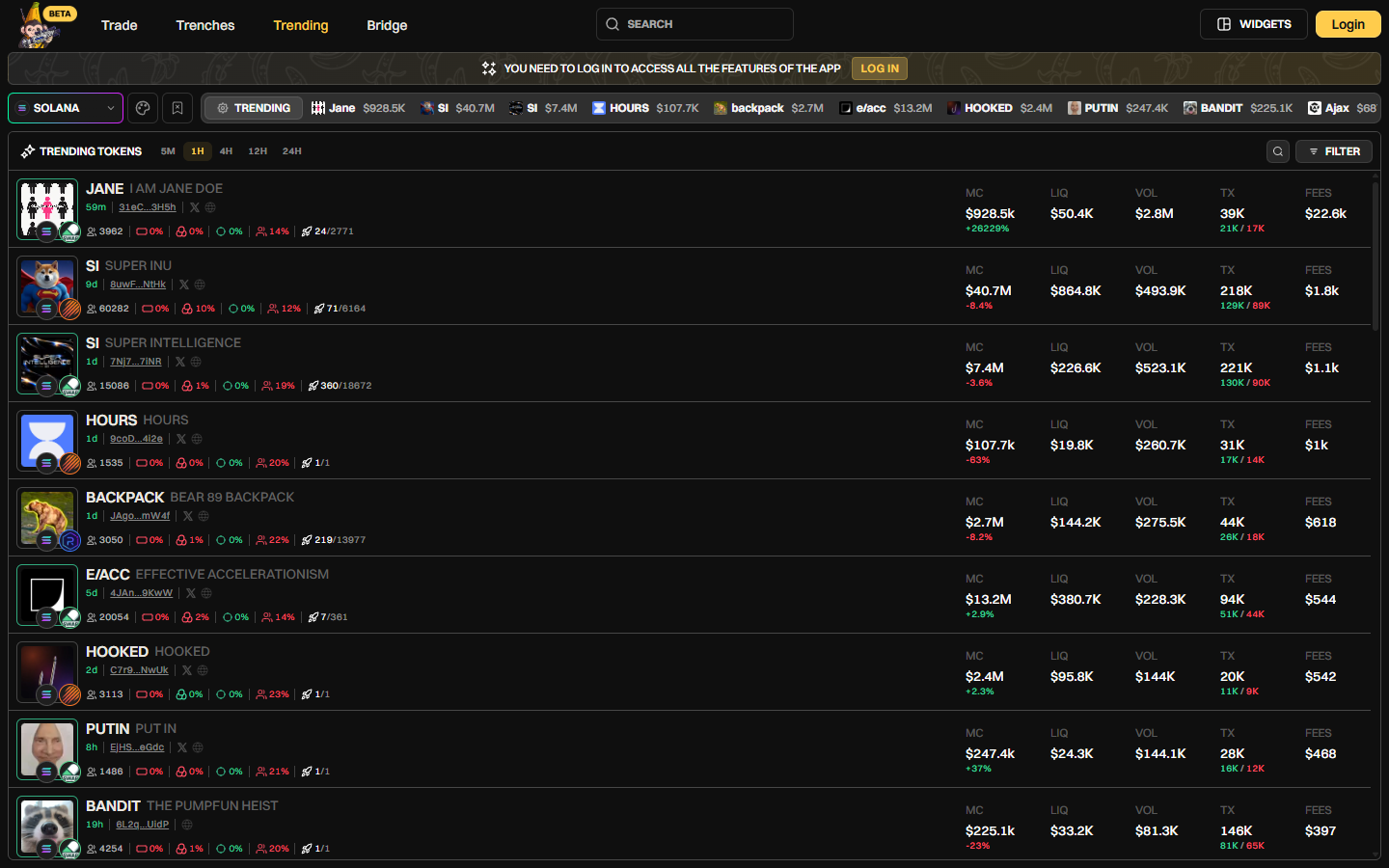
Banana Gun Pro Trending page on Solana in beta, with market cap, liquidity and volume per token, 1 October 2026
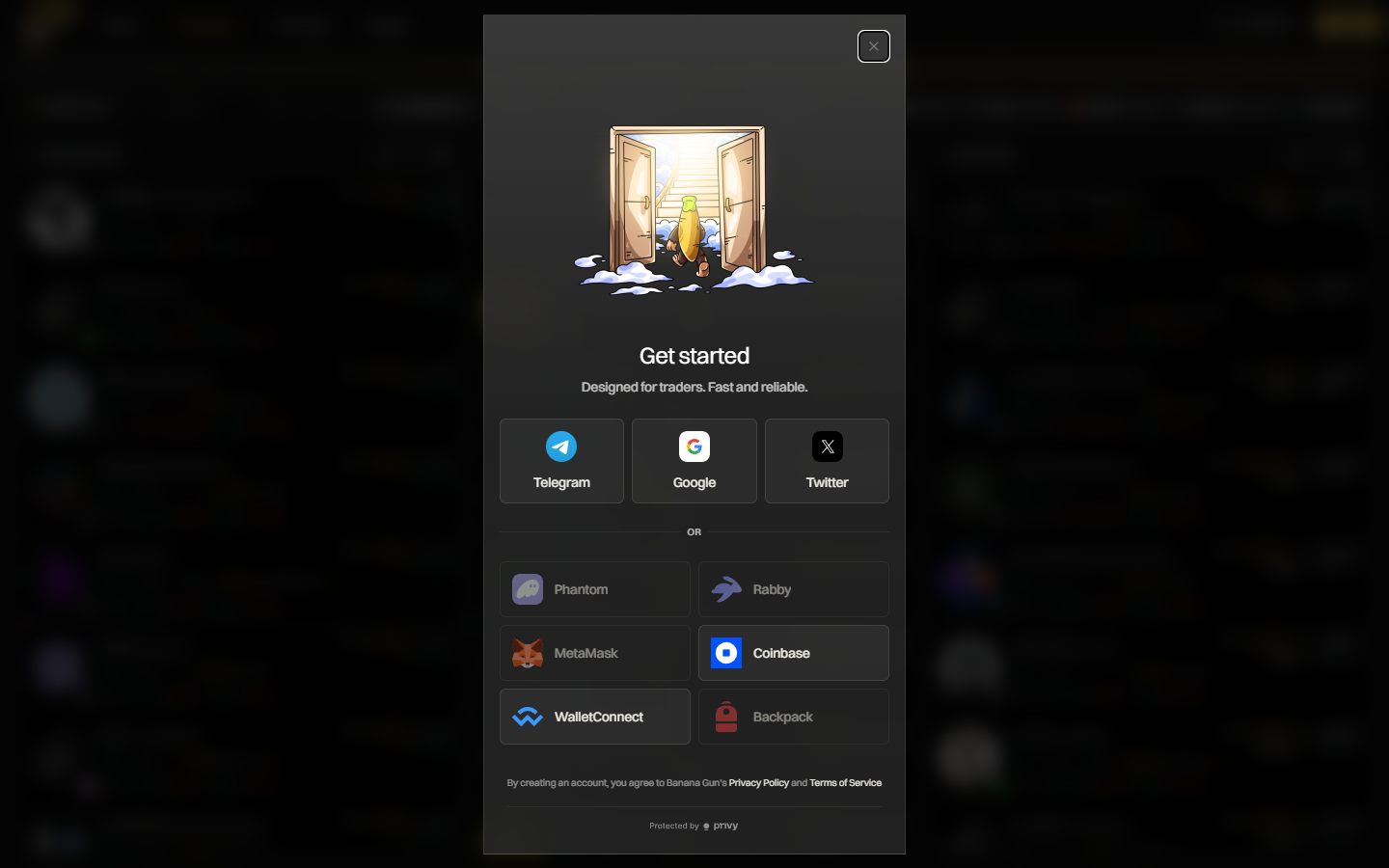
Banana Gun Pro sign-in window with Telegram, Google, Twitter or wallets such as Phantom, MetaMask and Coinbase, 1 October 2026
2. Paste it into the chat
Paste the contract address, or a Birdeye, DexScreener or pump.fun link, into the bot. The buy menu shows Token, Token Contract, DEX, Market Cap, Liquidity (in SOL), Price, Tax, Recommended Tip and your Balance, plus links to Solscan, Birdeye, DexScreener, Dextools and Defined.
Warning: the Tax figure is what the token showed when you pasted it. The pre-trade sell check blocks tokens you cannot sell; it is not a rug check.
3. Tap Buy
Tap Buy with a preset amount or enter a custom SOL amount, then wait for Buy Success. Banana Gun's docs list a 1% fee on Solana, so a 0.5 SOL buy costs 0.005 SOL in fees before the tip and slippage. Anti-MEV protection is on by default, using Jito on Solana.
Step 4: Check your position and sell
1. Open your positions
Send /positions. A successful buy appears there with the token you bought. Open it to reach the sell options.
2. Sell part or all
In the sell menu, choose how much of the position to sell using the percentage buttons.
Example: you set 2x as your target. If a 0.5 SOL buy reaches it, selling half returns about the 0.5 SOL you put in, before fees, tip and slippage. Plenty of tokens never get there, and then the half you kept loses value.
Step 5: Set a limit order so you do not have to watch
1. Start a sell limit order
Paste the contract address again and tap Setup Sell Limit Order. Use Tokens to set what percentage to sell, and Active to set how long the order lives.
2. Pick the trigger
Choose Take Profit or Stop Loss, then trigger it on Market Cap or Token Price percent change. A +100% change is 2x, +200% is 3x and +300% is 4x. Trailing Stop Loss raises its trigger as price makes new highs.
Warning: a take profit that price never reaches never sells. If you set only a take profit, nothing protects you on the way down.
3. Manage open orders
Check Limit Order Overview or Pending Limit Orders to see what is waiting. If the order has an Active period, remember that it expires when the period ends.
Step 6: Fix failed buys and tune your settings
1. Raise gas, tip or slippage
If a buy fails, the docs point to three levers. Raise buy gas, from 0.001 to 0.005 or higher. Raise the MEV tip, also from 0.001 to 0.005 or higher. For volatile tokens, raise slippage from 5% to somewhere between 10% and 30%.
Each of these costs you something. A higher tip is paid out of your SOL, and the slippage you allow is price you may pay.
2. Open Settings once
Tap Settings and read the categories: Security Pin Settings, Gas Settings, Wallet Settings, Safety Settings, Toggle Settings, Preset Settings and Chain Settings.
For what else to weigh before you commit capital, our guide to the best Solana trading bots compares the options.
Why it didn't work
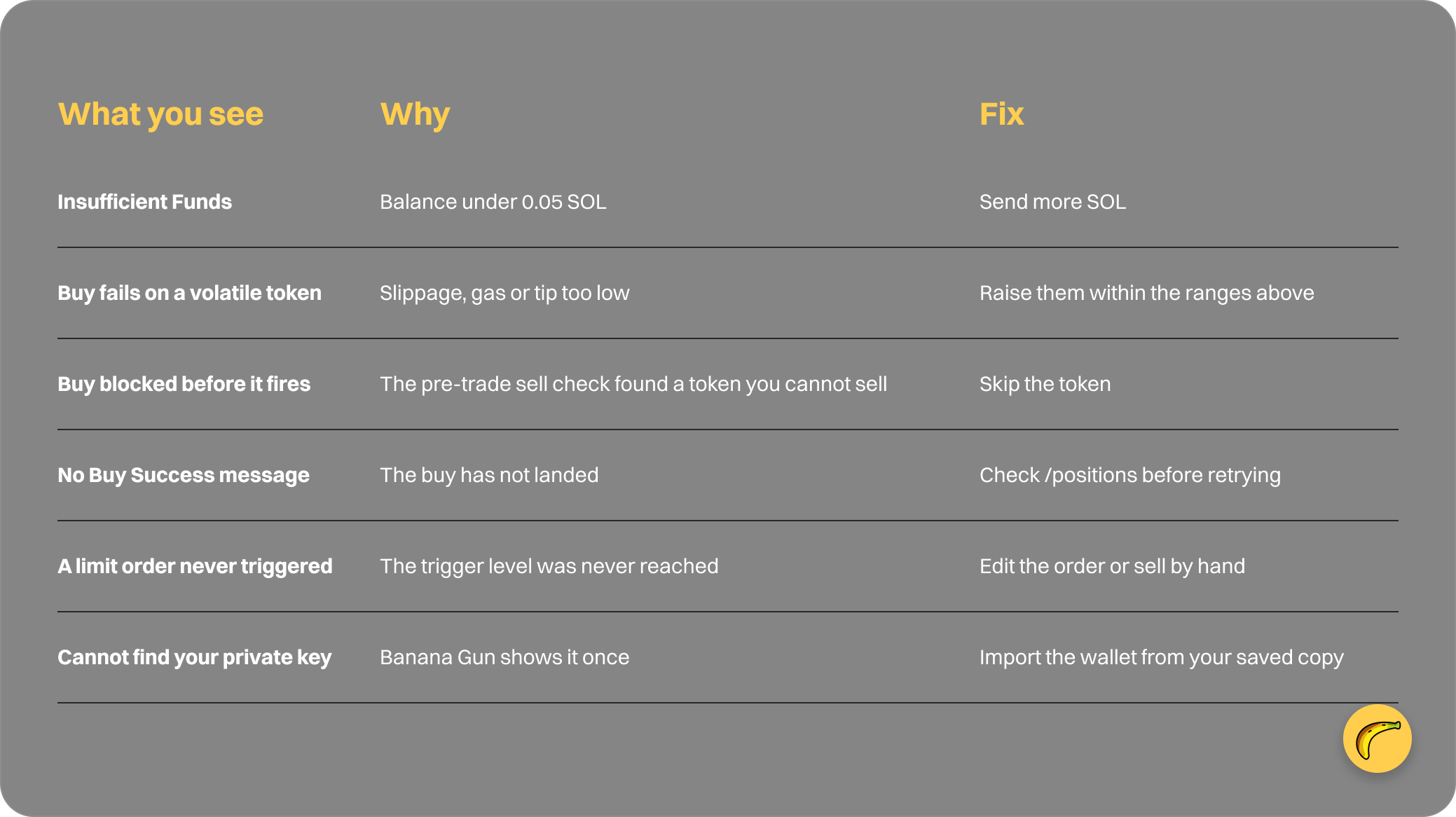
Quick recap
- Tap Start, create or import a wallet, save the private key offline.
- Send /wallets, then fund the wallet with at least 0.1 SOL.
- Paste a contract, check the buy menu, tap Buy.
- Send /positions and sell a percentage when you want out.
- Set a Take Profit, Stop Loss or Trailing Stop Loss limit order.
- Raise gas, tip or slippage if a buy fails.
Frequently asked questions
Can you trade Solana on Telegram?
Yes. Banana Gun's Telegram bot creates a Solana wallet, takes a pasted contract address and buys from that wallet.
How much SOL do I need to start?
Banana Gun's docs ask for at least 0.1 SOL in the wallet, and recommend keeping 0.05 SOL or more to avoid Insufficient Funds. Fees on Solana are 1% per trade.
Does the bot protect against honeypots?
It runs a pre-trade sell check that blocks tokens you cannot sell, before the buy. It does not re-run when a limit order fires, and it is not a rug check.
What do I do if a buy fails?
Raise buy gas, the MEV tip or slippage, in the ranges Banana Gun's docs list. Check /positions first so you do not buy twice.
Open the Banana Gun Telegram bot to make your first Solana trade.