

The Best Token Discovery Tools for Solana
DexScreener
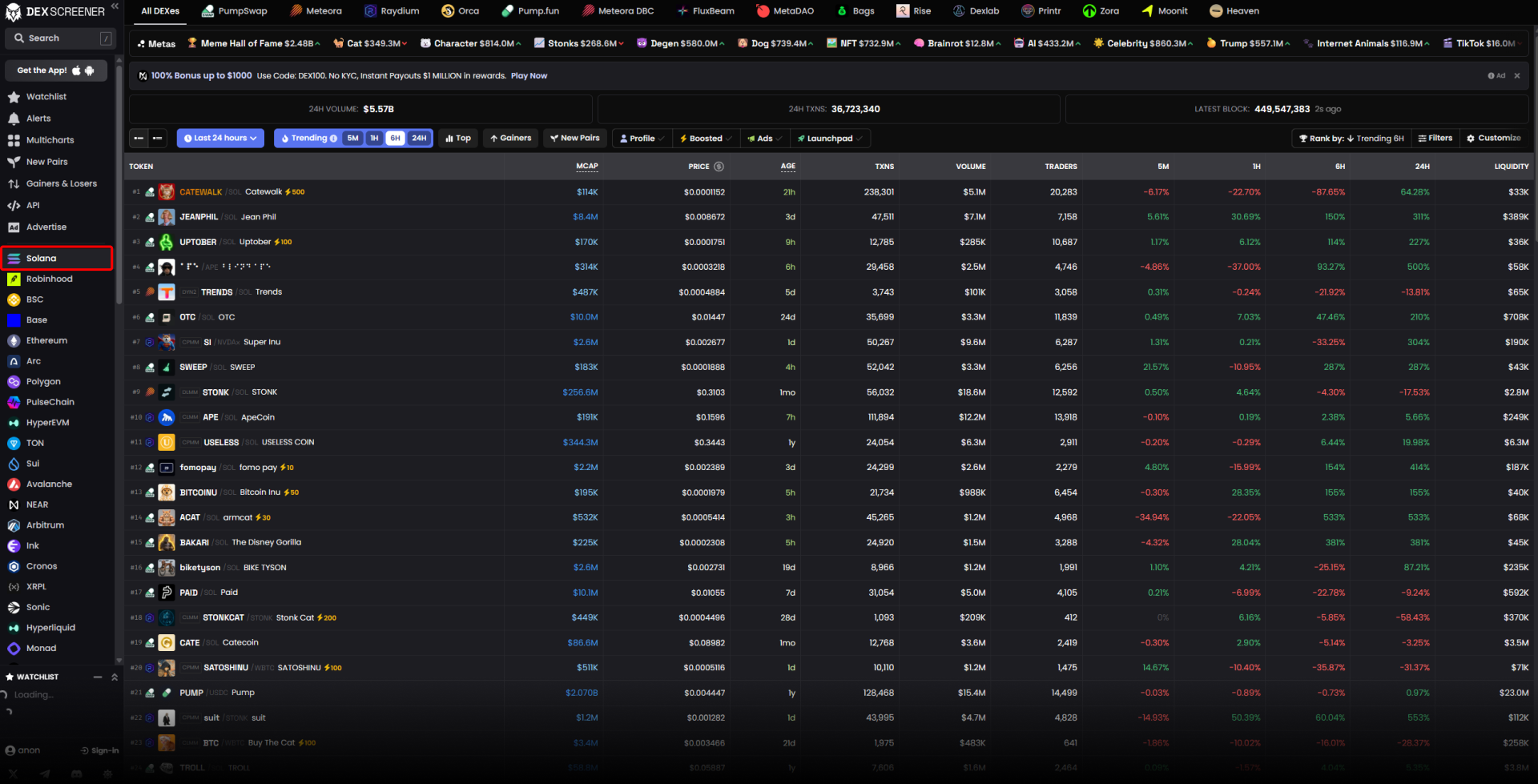
DexScreener is the widest net of the group. Its chain list runs Solana, BSC, Base, Ethereum, Arc, HyperEVM, Hyperliquid listed separately from HyperEVM, Stable, Monad and more. Source: dexscreener.com.
That list runs past forty networks, which tells you DexScreener optimises for breadth rather than chain-specific depth. What it will not do is fill your order. DexScreener is discovery only. Spotting a token there still means moving to a wallet or a bot to actually buy it.
GeckoTerminal
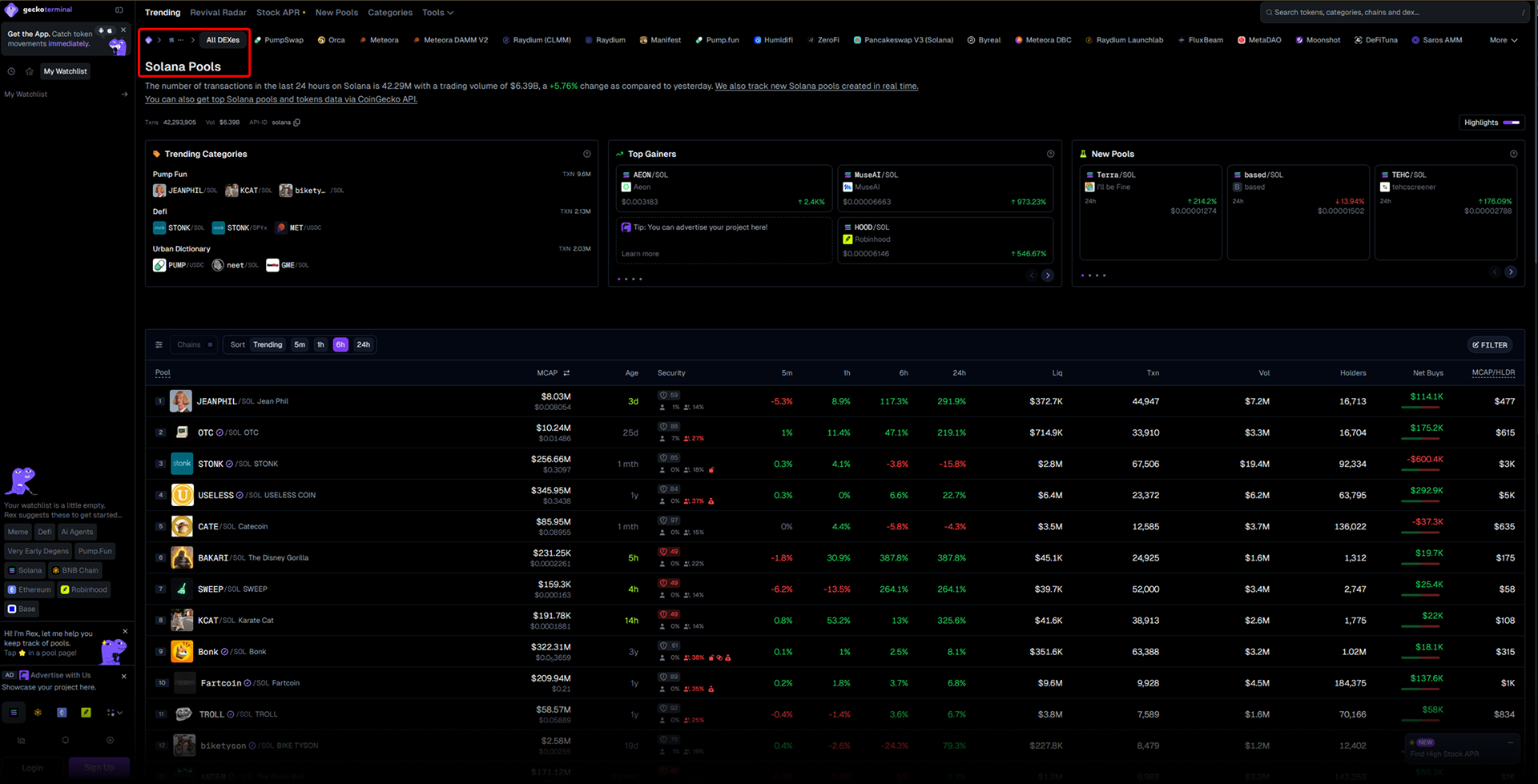
GeckoTerminal runs a Solana pools page titled "Top Solana Pools Trending Today", carrying the same Trending, Revival Radar, New Pools and Categories sections it uses site-wide. Solana is one of its suggested categories too. Source: geckoterminal.com.
The coverage is real, and Solana gets the deepest version of it.
Birdeye
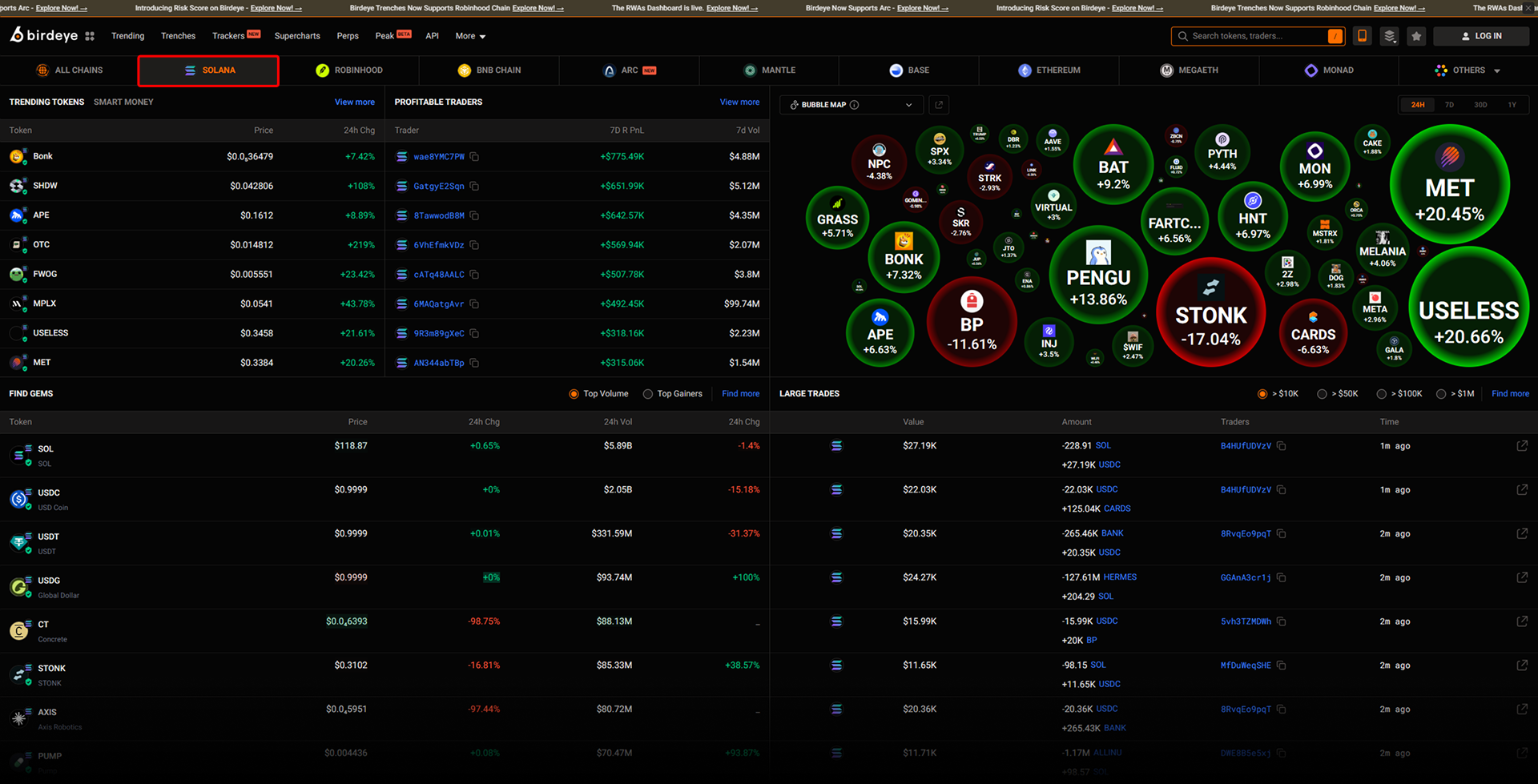
On Solana, Birdeye is a full trading dashboard: Trending, Trenches, Trackers, Supercharts, Perps and a beta Peak view, plus an API, with 1H, 4H and 24H windows and market-cap filters built in. Source: birdeye.so.
Defined.fi
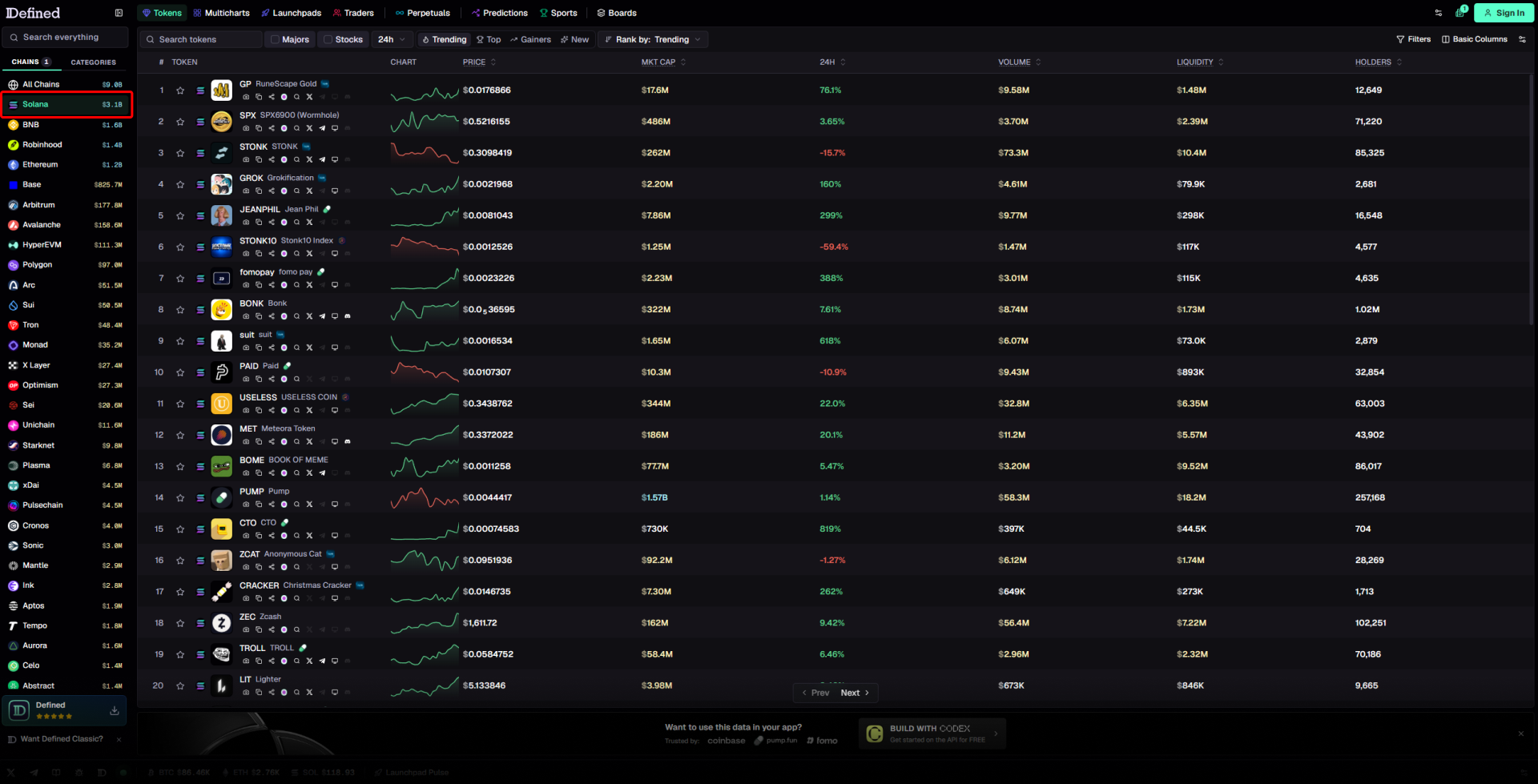
DDefined.fi is the one tool here that ranks chains on a single screen and lets you act on what it shows. Its network list showed Solana at $3.2B in volume on 21 September 2026, sitting ahead of Ethereum and Base. Source: defined.fi.
The token table carries Majors, Trending, Top, Gainers and New views, ranked by trending, with filters and columns for price, market cap, 24h change, volume, liquidity and holders. It also covers Multicharts, Launchpads, Traders, Perpetuals and Predictions, and trades spot, perps and predictions in the terminal. Trading needs an account, which is rare in this list.
Comparing the tools
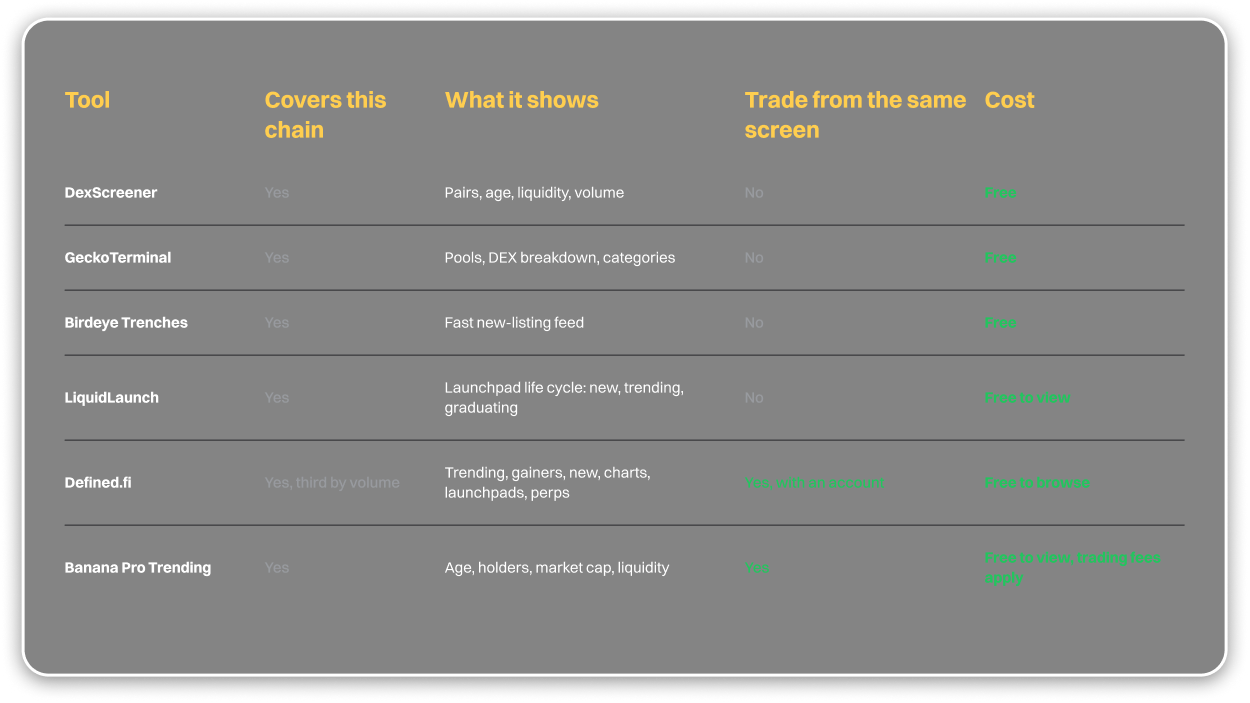
Where discovery and execution meet
Every tool above except Defined.fi stops at the discovery layer. Banana Pro, the web terminal at pro.bananagun.io, puts the trending view and the trade button on the same page, and does it across nine chains rather than two.The Trending page itself is public, no login needed to browse it. Logging in is only required once you hit Trade.
Filters cover max age, minimum market cap, minimum liquidity and minimum volume. Each row carries token age, holder count, market cap with its percentage change, liquidity, volume, a buy and sell split on transaction count, and fees.