
Telegram trading bots let you execute on-chain trades directly from Telegram without opening a browser or connecting to a DEX manually. This guide walks through the basics of trading on Arc, Circle's new USDC-native Layer 1, from setting up a wallet and funding it to buying a token and confirming the fill. We'll use Banana Gun as an example, which has processed over 24 million trades and $16 billion in lifetime trading volume, and offers Arc support from day 1.
What is a Telegram trading bot?
A Telegram trading bot is a tool that connects to decentralized exchanges and executes trades on your behalf through Telegram commands. When you place a buy order, the bot signs and broadcasts the transaction, handling RPC connections, gas estimation, and routing automatically.
On Arc this matters more than usual. The chain finalizes transactions in under a second, and its early token market is thin and fast-moving, so the bot's job is to get your transaction into that block before the price moves. That is where the fastest execution speed for Arc on Banana Gun comes in.
Because everything happens inside Telegram, you can trade from both mobile and desktop with the same experience. The main trade-off is security: the bot either holds or accesses your private key, so it's important to choose a platform with a strong security model and audited infrastructure.
How do you open a Telegram trading bot for the first time?
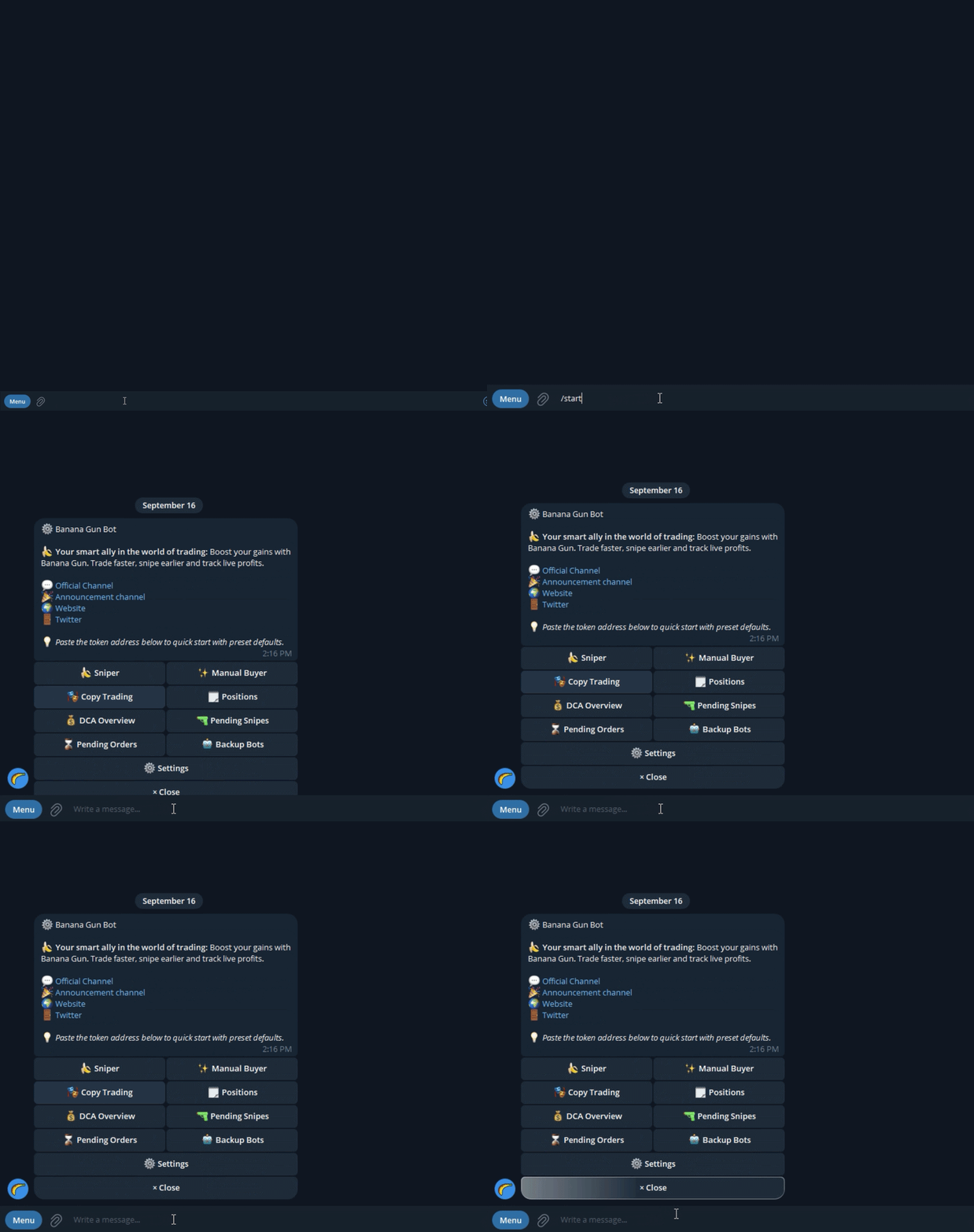
Search for @BananaGun_bot on Telegram or open it directly here. Tap Start and you'll see a welcome message with the main menu options. You don't need to create an account or provide an email address. Your Telegram account is enough to get started.
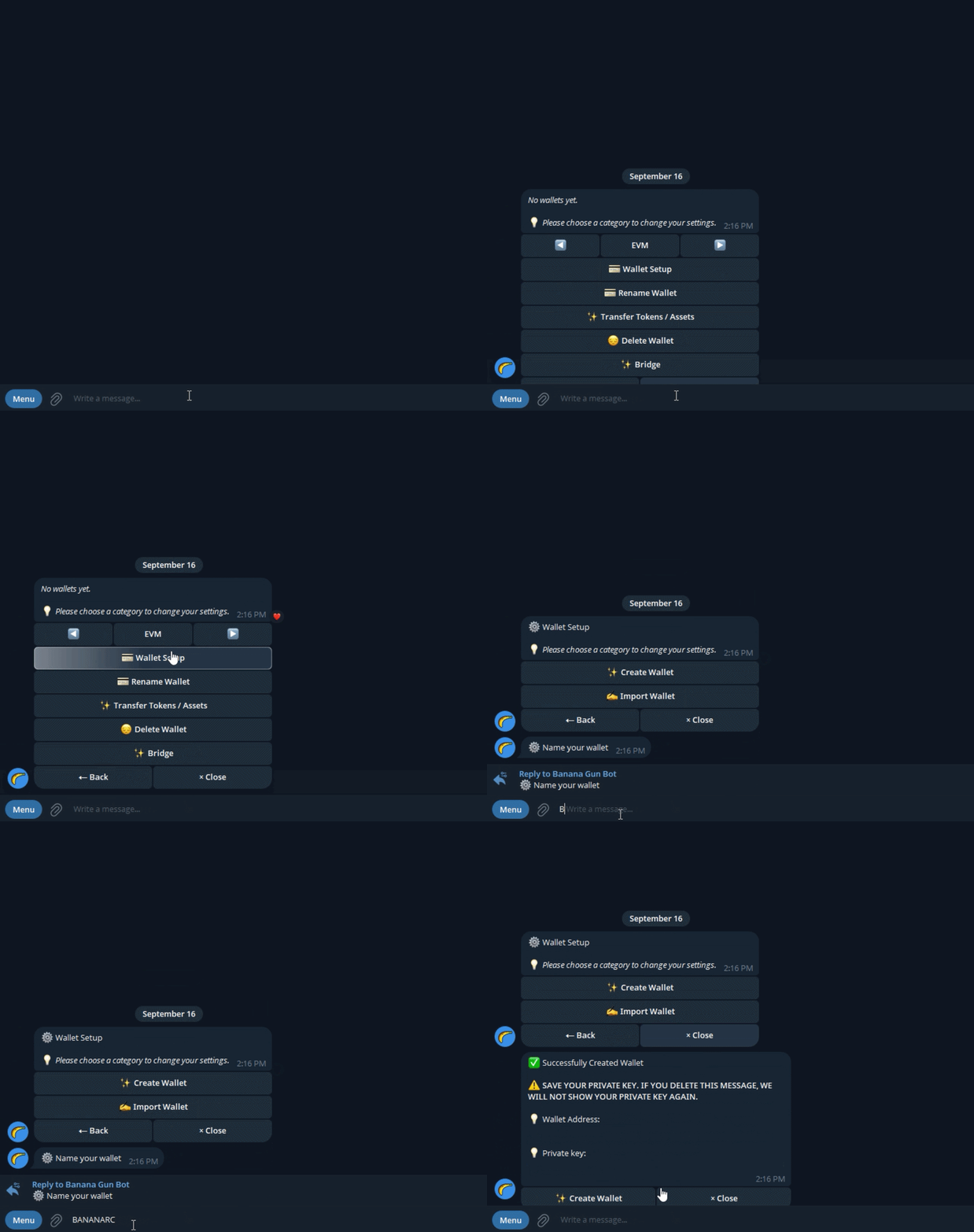
From there, you'll be asked to either create a new wallet or import an existing one, depending on your setup. Arc is EVM-compatible, so your Arc wallet uses the same 0x address format as Ethereum and Base. Select Arc as your active chain before moving on.
How do you fund a Telegram bot wallet?
Open the Wallet section, copy your wallet address, and send funds from an exchange or another wallet. Make sure you send the correct asset for the network you're trading on: ETH for Ethereum, SOL for Solana, BNB for BNB Chain, and USDC for Arc.
Arc is different from most chains here. USDC is its native gas token, so the same USDC balance pays both for your trades and for your fees. There is no separate chain coin to buy. Just make sure the USDC you send is on the Arc network itself, since USDC on Ethereum, Solana or Base is a separate balance and will not appear in your Arc wallet.
Only fund what you plan to trade. A good starting amount is enough for one or two trades plus extra funds to cover fees, giving you some room in case a transaction needs to be retried.
How do you find a token to trade inside the bot?
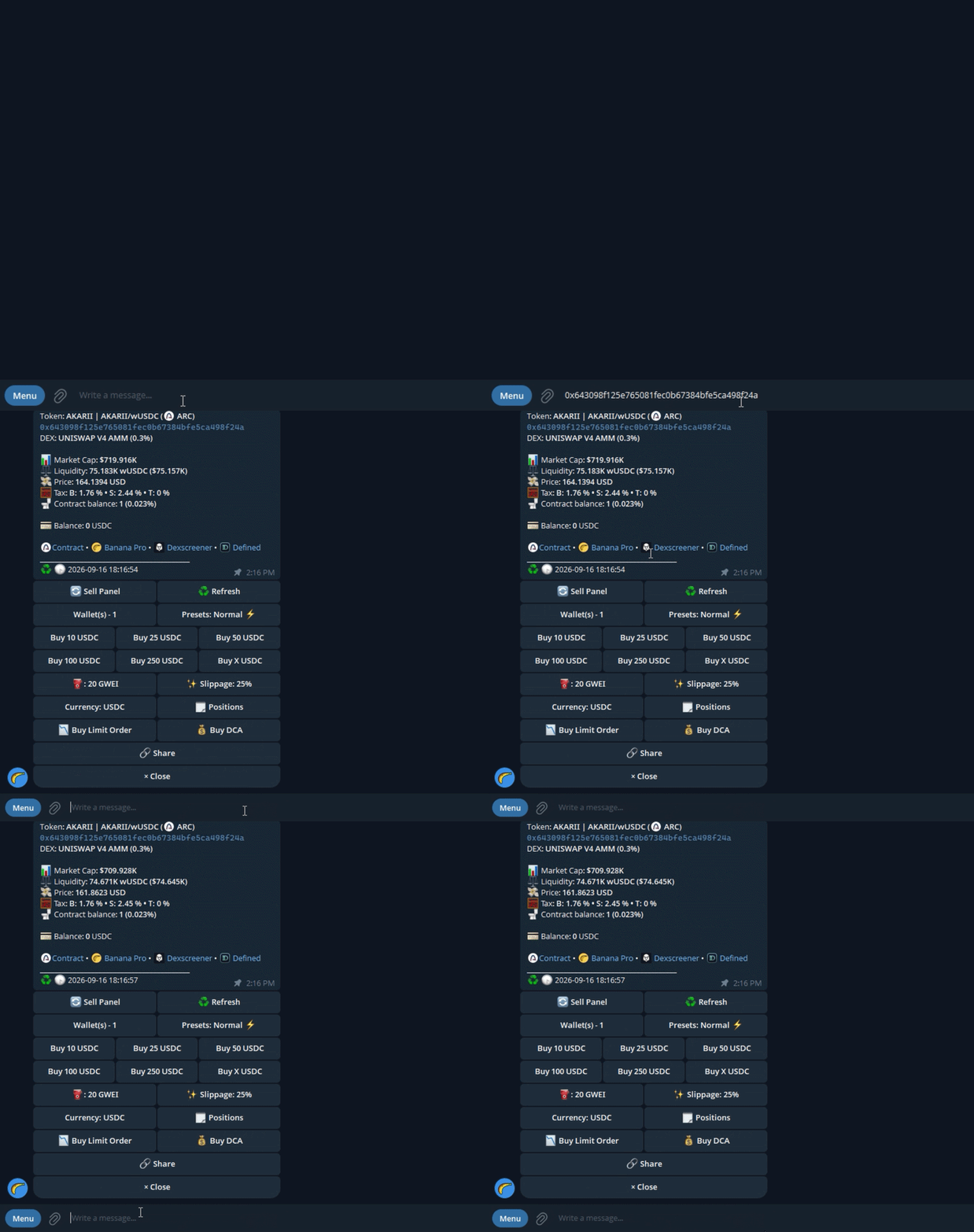
The safest way is to paste the token's contract address directly into the bot. Banana Gun will instantly display key information such as the token name, current price, liquidity, and a basic security scan.
Always verify the contract address from a trusted source, such as the project's official channels or a reputable token listing site. Contract address scams are one of the most common ways traders lose money, and on a chain as new as Arc there is no established token list to fall back on yet.
You can also use the built-in search feature, but entering the contract address is more reliable, especially for newer or low-cap tokens.
How do you set buy amount and slippage?
Once the token loads, enter your buy amount using the network's native asset, which on Arc is USDC, and choose a slippage tolerance.
For liquid tokens, 1-3% slippage is usually sufficient. More volatile or low-liquidity tokens may require 5-15%, although higher slippage also increases your risk of sandwich attacks. Expect to sit toward the higher end of that range on Arc for the first few weeks, while liquidity is still building.
You'll also see gas settings. Higher gas can speed up execution but increases transaction costs. Arc's USDC-denominated fees are designed to be predictable, so for most trades the default setting is fine, while fast-moving markets may still require manual adjustments.
How do you execute the trade and confirm it worked?
Tap Buy and the bot will sign and broadcast the transaction. Within seconds, and on Arc usually under one, you'll receive a confirmation message containing a transaction hash that you can open in a block explorer.
Verify three things: whether the transaction succeeded, how many tokens you received, and the price you paid. If a transaction fails, the most common causes are slippage that's too low, a USDC balance that could not cover both the trade and the fee, or token taxes that prevent the trade from executing properly.
Frequently Asked Questions
Is it safe to give a Telegram trading bot my private key?
The risk depends on the bot. Reputable bots encrypt stored keys and publish audit results. Best practice is to use a dedicated trading wallet that holds only the funds you intend to trade, never your primary holding address. If the bot is ever compromised, that approach limits your exposure to the trading balance only.
What is slippage tolerance and what should I set it to?
Slippage tolerance is the maximum price change you will accept between submitting a trade and having it confirmed on-chain. For liquid tokens, 1-3% is standard. Low-liquidity or high-volatility tokens may require 5-15%, but wider slippage also makes your trade more attractive to sandwich bots.
What happens if my buy transaction reverts?
A reverted transaction means the trade did not execute, but you still pay the gas fee for the failed attempt. On Arc that fee is charged in USDC. Common causes are insufficient slippage (the price moved too much while your transaction was pending), insufficient balance to cover gas, or a token buy tax that fails the contract-level math. Adjust slippage or gas and retry.
Do I need a separate gas token to trade on Arc?
No. USDC is Arc's native gas token, so the same balance you trade with also covers your fees. You only need to make sure your USDC is on the Arc network.
Do Telegram trading bots work on mobile?
Yes. Because the interface is Telegram itself, the bot works identically on iOS, Android, and desktop. This is one of the main practical advantages over browser DEX interfaces, which can be slow or unreliable on mobile browsers.
Can I use the same wallet across multiple Telegram trading bots?
You can import the same private key into multiple bots, but doing so multiplies the attack surface. If any one bot is compromised, all of them have access to the same wallet. Dedicated per-bot wallets are the cleaner approach.